deaviz turns the numbers behind a Data Envelopment
Analysis (DEA), whether the inputs/outputs profiles or the computational
outcome of various DEA models, into plots: efficiency distributions,
input/output relationships, an efficient frontier representation,
projection biplots, benchmarking networks, cross-efficiency maps, and
multi-period trajectories for panel data. This vignette walks through
the typical workflow on two bundled datasets.
The workflow has three steps that map onto the package’s naming convention:
- wrap your data in a
dea_data()object (inputs, outputs, DMU labels); -
compute_*()the quantities you need (efficiency, cross-efficiency, weights, self-organising maps); -
plot_*()the result.
Most plots compute efficiency scores internally, which relies on the
Benchmarking package; a few
embeddings/layouts use smacof,
igraph/graphlayouts, or kohonen.
These are all Suggests: install them to reproduce every figure
below. (Where a suggested package is missing, the corresponding chunk is
simply skipped, so this vignette always builds.)
The data object
deaviz ships chinese_cities, a classic
cross-sectional DEA benchmark of 35 cities with three inputs and three
outputs (Sueyoshi, 1992). dea_data() records which columns
are inputs, which are outputs, and which identifies the DMU. Columns can
be given by name or by position.
So the dea_data object can be defined either by the
input and output variable names as follows:
d <- dea_data(
  chinese_cities,
  inputs  = c("industrial_labour_force", "working_funds", "investments"),
  outputs = c("gross_industrial_output", "profit_and_tax", "retail_sales"),
  id      = "DMU"
)
d
#> <dea_data>
#>   DMUs    : 35
#>   Inputs  : 3 (industrial_labour_force, working_funds, investments)
#>   Outputs : 3 (gross_industrial_output, profit_and_tax, retail_sales)
or equivalently by the location of them:
d <- dea_data(
  chinese_cities,
  inputs  = 2:4,
  outputs = 5:7,
  id      = "DMU"
)
Everything downstream takes this d object. If your
input/output columns are prefixed i_ / o_,
dea_data() detects them automatically and you can skip the
inputs/outputs arguments.
Efficiency scores
compute_efficiency() returns radial efficiency scores
(plus peer weights and multiplier weights). Returns-to-scale and
orientation are arguments.
eff <- compute_efficiency(x = d, rts = "vrs", orientation = "in")
head(round(eff$eff, 3))
#> [1] 1.000 0.944 0.805 0.779 0.875 0.686
Distributions: the shape of efficiency
Start by looking at the spread.
plot_efficiency_distributions() shows the distribution of
efficiency scores, while plot_io_distributions() shows the
raw input/output variables.
plot_efficiency_distributions(d, rts = "vrs", title = "Chinese Cities Efficiency Scores", subtitle = "Variable Return To Scale")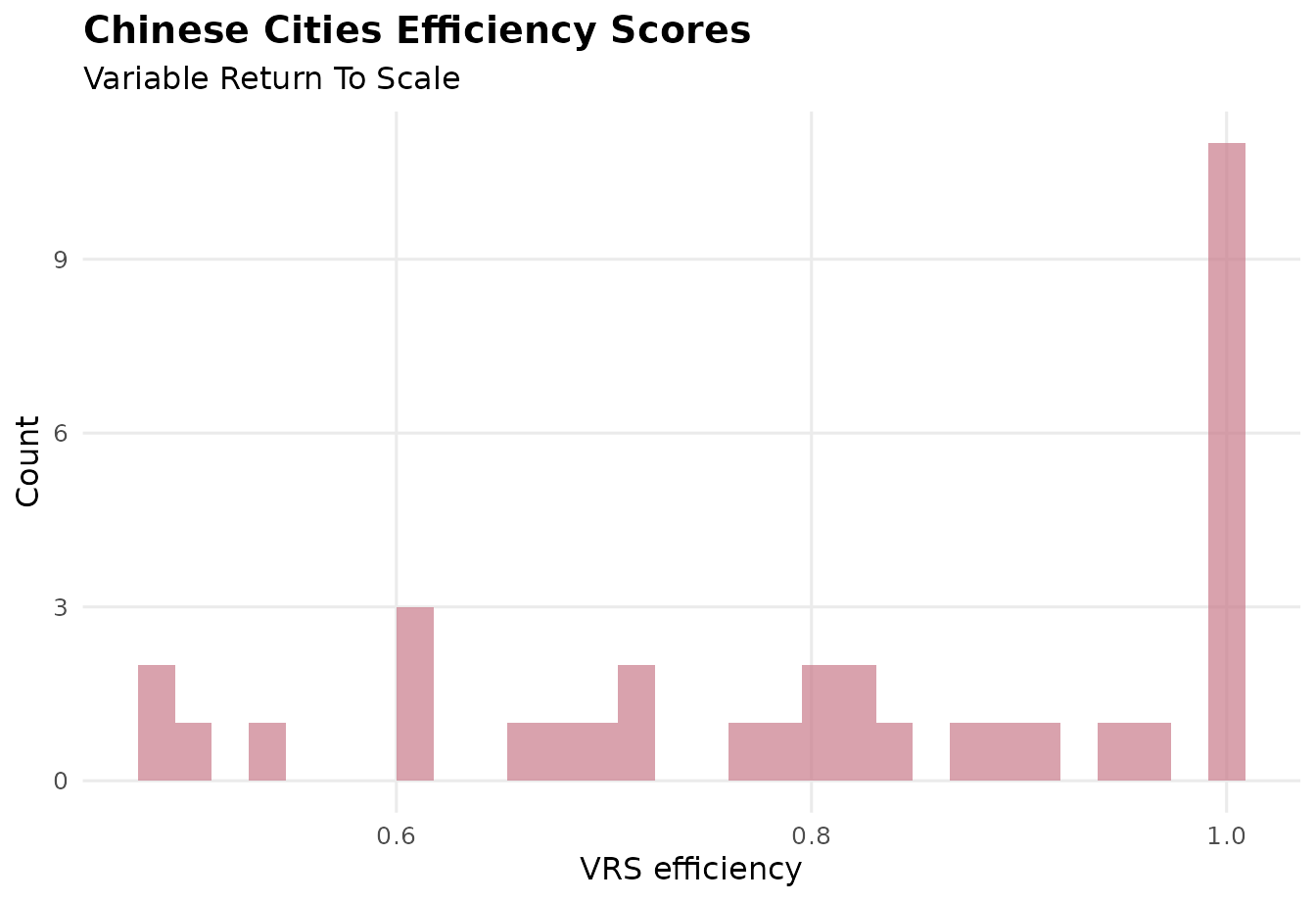
plot_io_distributions(d, type = "box", x_angle = 30)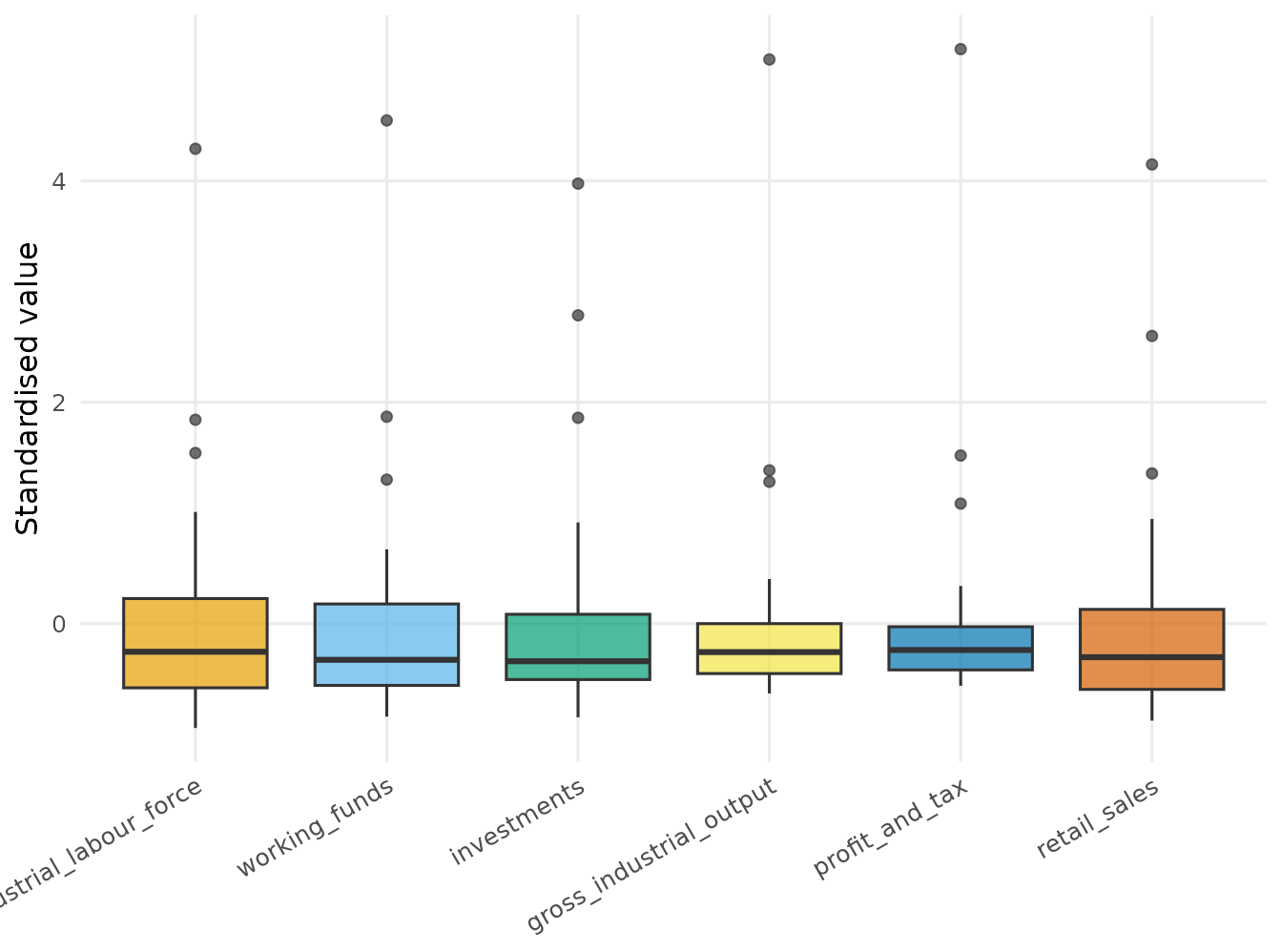
Note the x_angle = 30: the input/output names are long,
so tilting the x-axis tick labels keeps them readable. Every plot whose
x-axis carries variable or DMU names accepts x_angle.
plot_io_efficients() counts how many DMUs are efficient
versus inefficient.
plot_io_efficients(d, rts = "vrs", transparency = 1)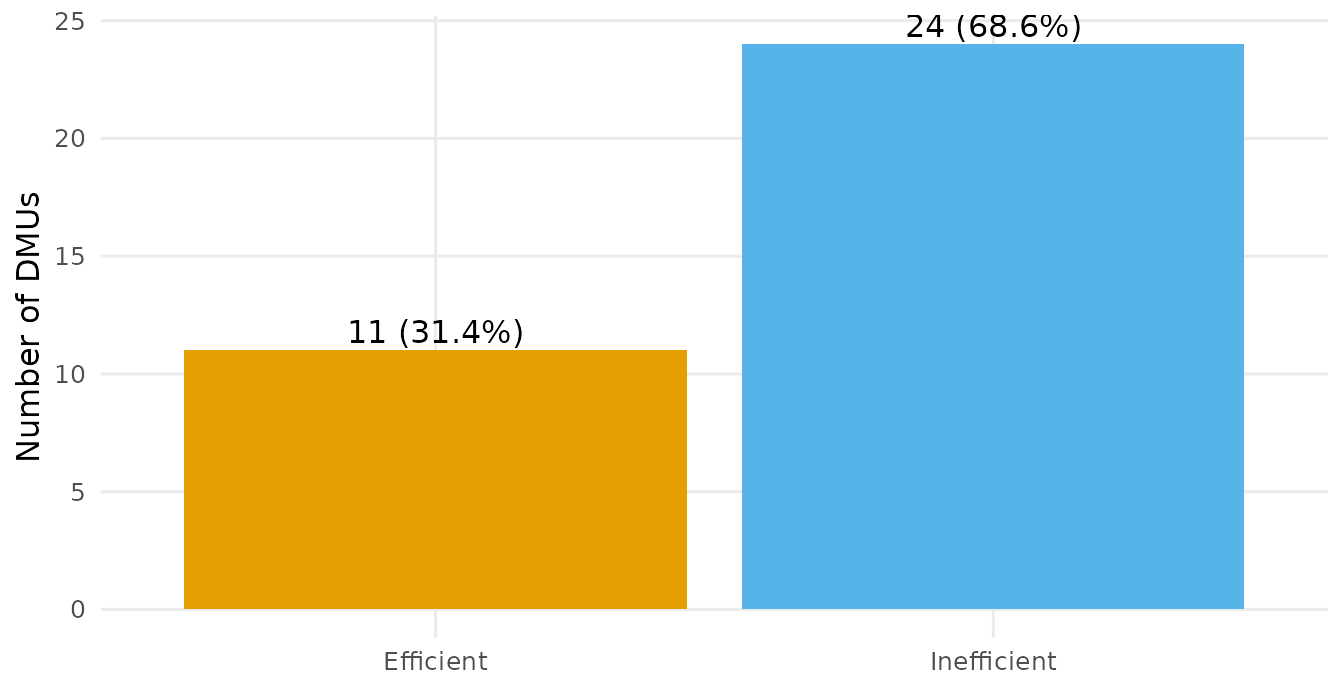
Input/output relationships and the frontier
plot_io_scatter() lays out every input-against-output
pair if no vector of inputs and/or outputs is assigned to
vars = and if a vector provided, then the scatterplots will
be limited to the pair-wise combination of the the variables.
Regardless, the visual marks are coloured by efficiency.
plot_io_scatter(d, vars = c("industrial_labour_force", "gross_industrial_output", "retail_sales") , color = "vrs")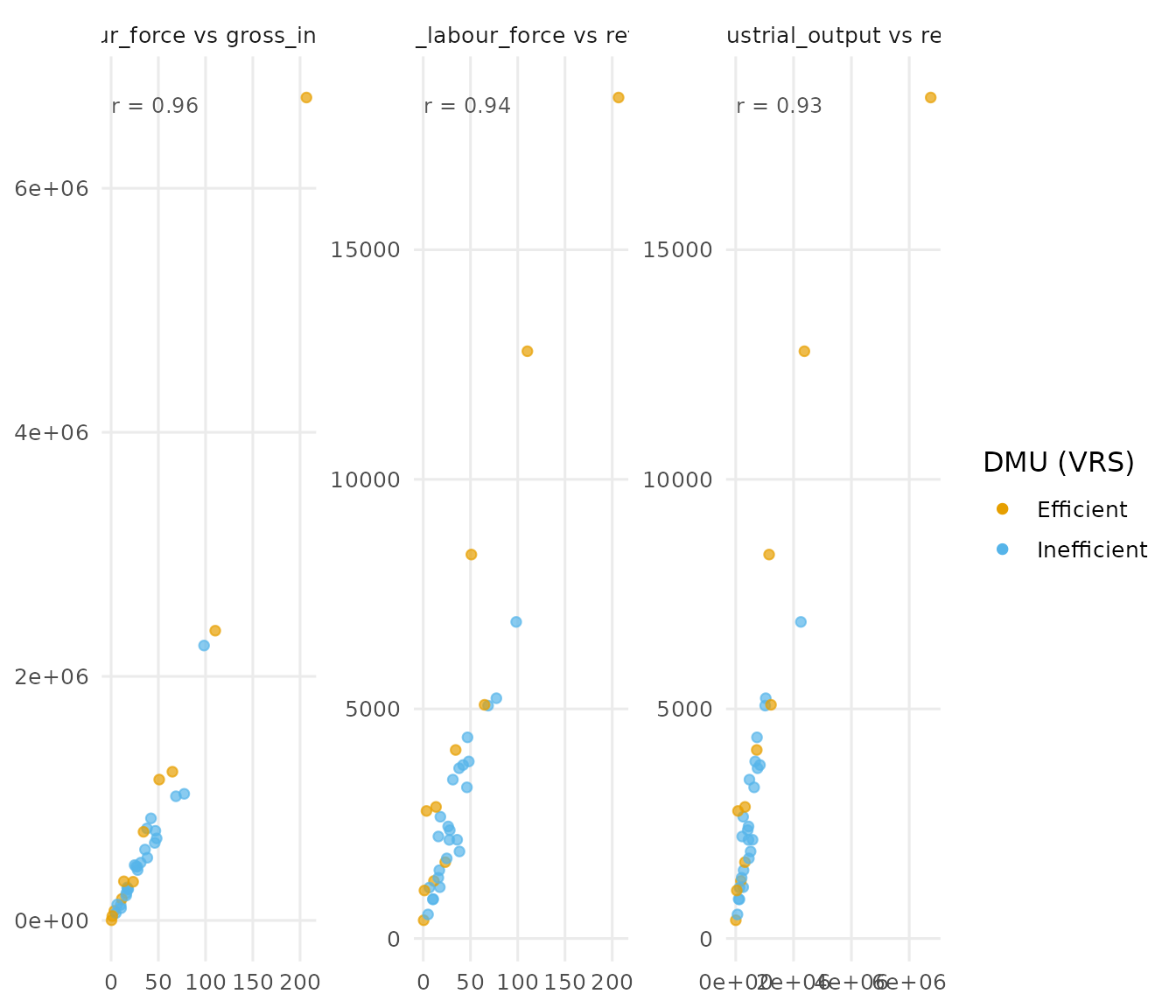
It is possible to plot scatters against the efficiency scores of the DMUs as well:
plot_io_scatter(d, vars = c("industrial_labour_force", "gross_industrial_output", "retail_sales"), efficiency = "vrs" , color = "vrs")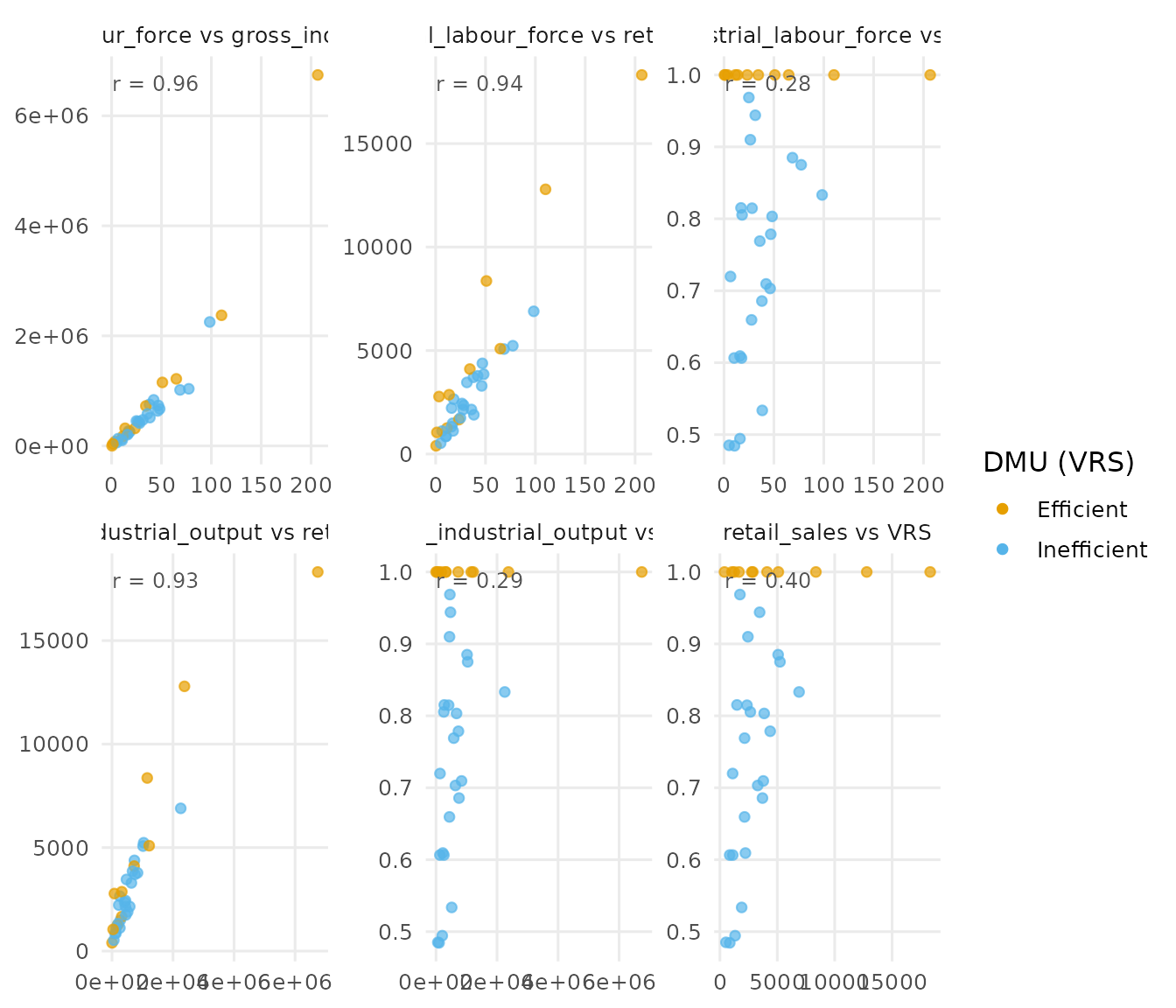
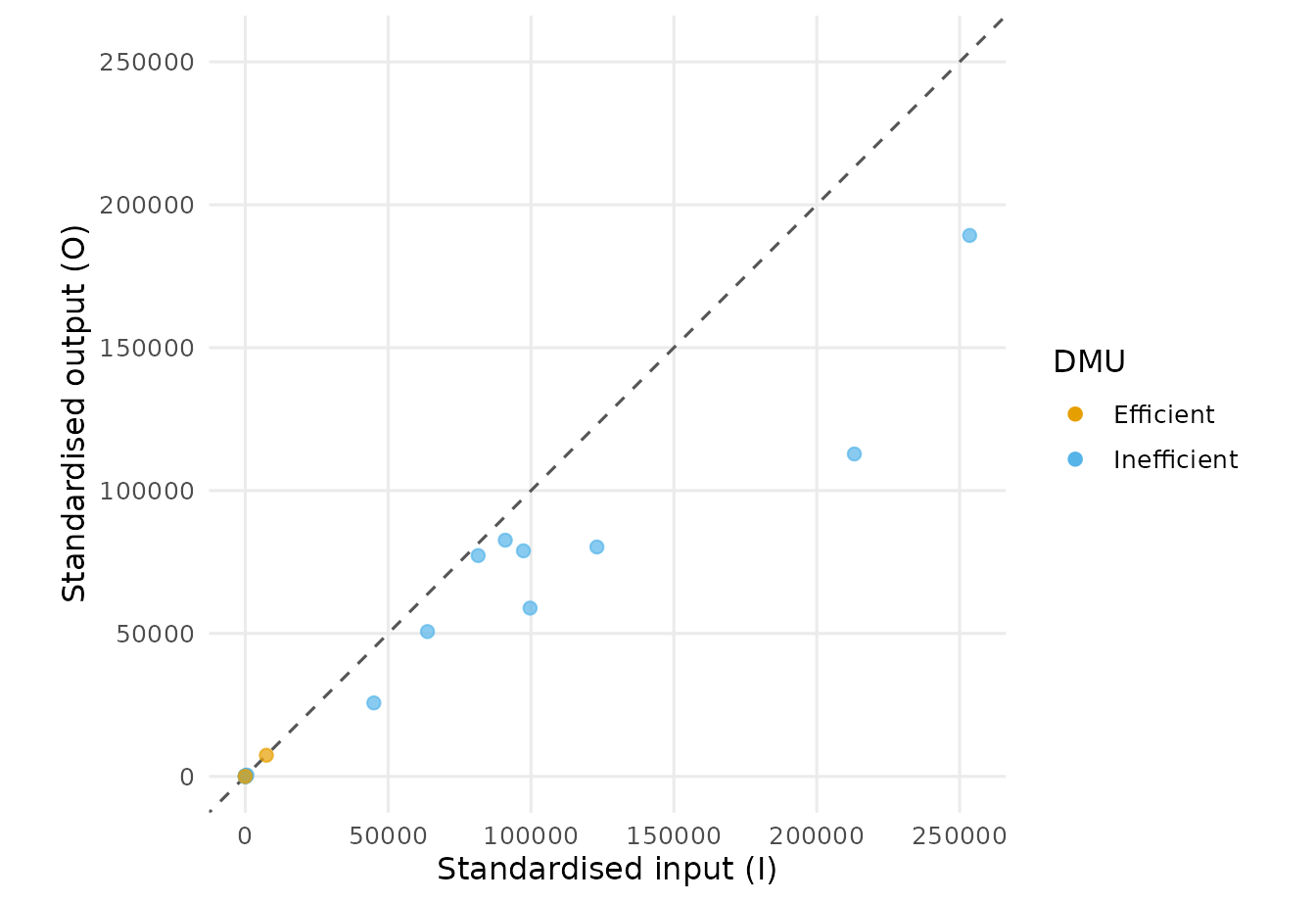
The only frontier visualization plot is available via
plot_io_costa_frontier() and it collapses all inputs and
outputs onto a single aggregated frontier (Bana e Costa et al.,
2016).
The textbook frontier
For teaching it is often clearest to take a single input against a
single output and draw the efficient frontier the way textbooks do.
plot_io_frontier() does exactly that: pick one input and
one output, choose the returns-to-scale, and it shades the
production-possibility set and traces the frontier, colouring each unit
by its efficiency in that two-variable sub-model.
plot_io_frontier(d, input = "working_funds", output = "retail_sales",
                 rts = "vrs")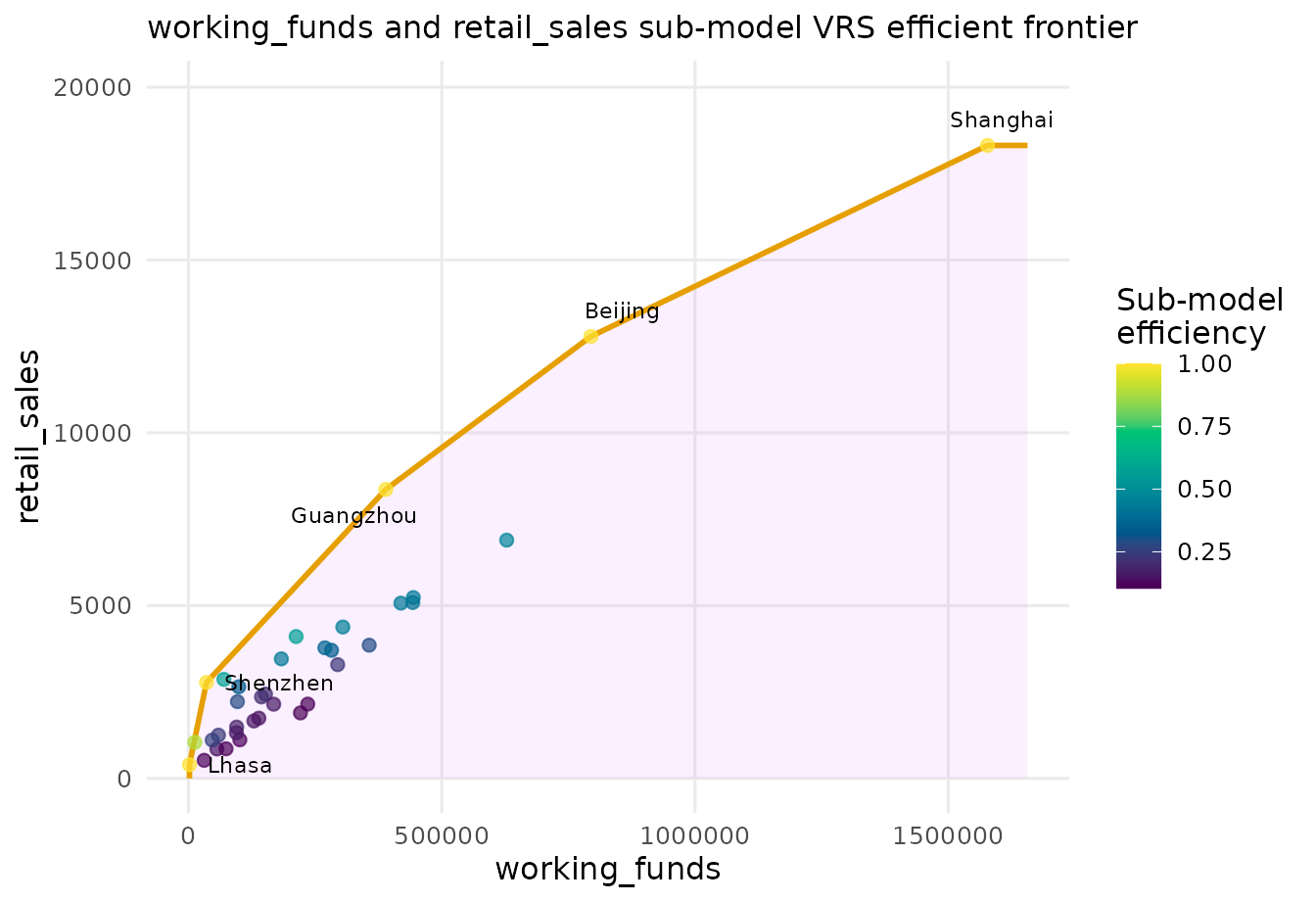
Turn on peers_network to see which efficient peers an
inefficient city is benchmarked against; the arrows are weighted by the
envelopment
()
weights.
plot_io_frontier(d, input = "working_funds", output = "retail_sales",
                 rts = "vrs", peers_network = TRUE, labels = "Chengdu")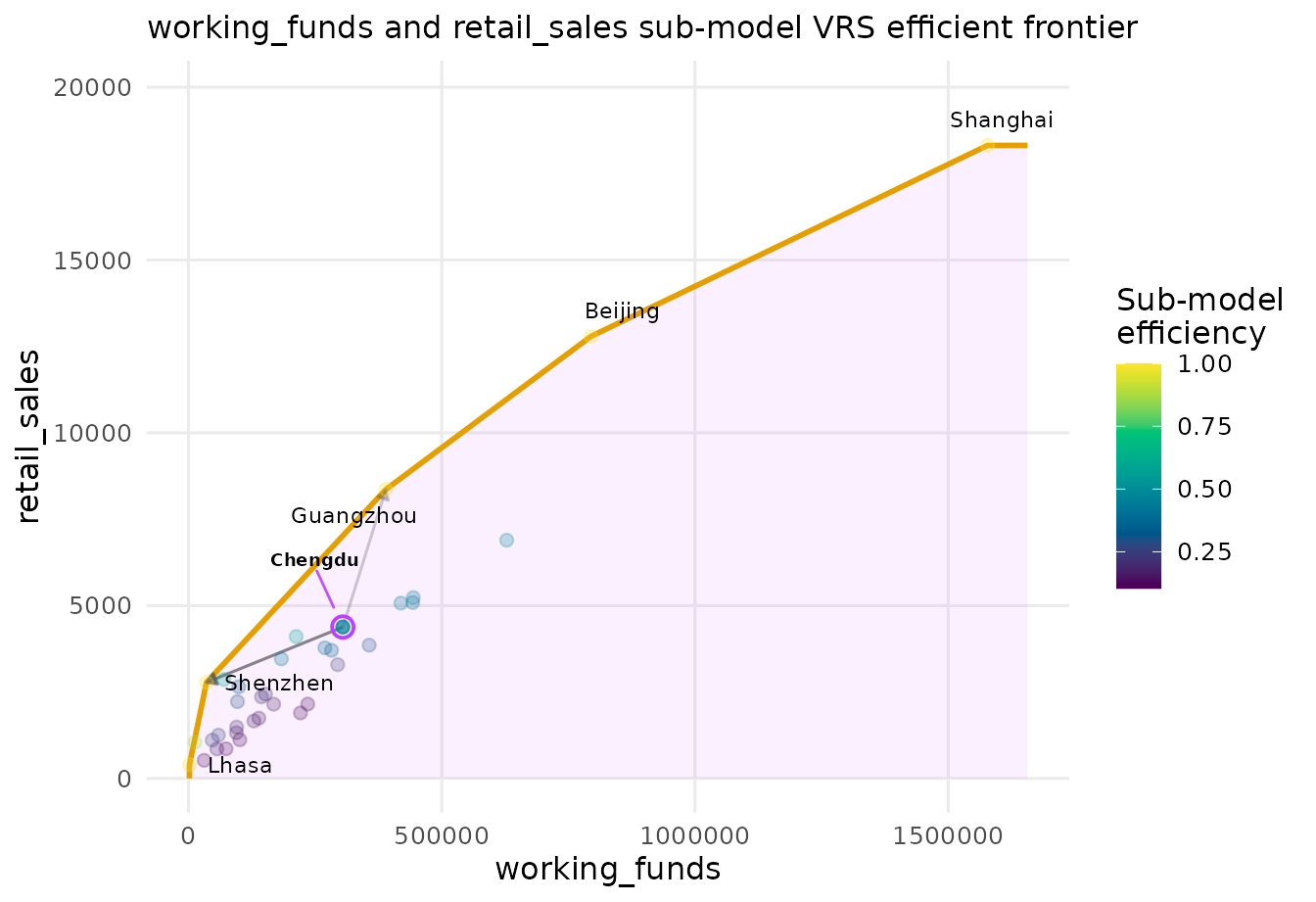
Projection biplots
Two ways to project the multidimensional input/output space onto a
readable plane. plot_io_pca_biplot() uses PCA, drawing the
input/output loading vectors; plot_io_mds() uses metric
(ratio) multidimensional scaling via the smacof
majorization algorithm (de Leeuw & Mair, 2009). The graphical use of
such projections for DEA follows Adler & Raveh (2008).
Let’s have a look at the PCA biplot:
plot_io_pca_biplot(d, rts = "vrs")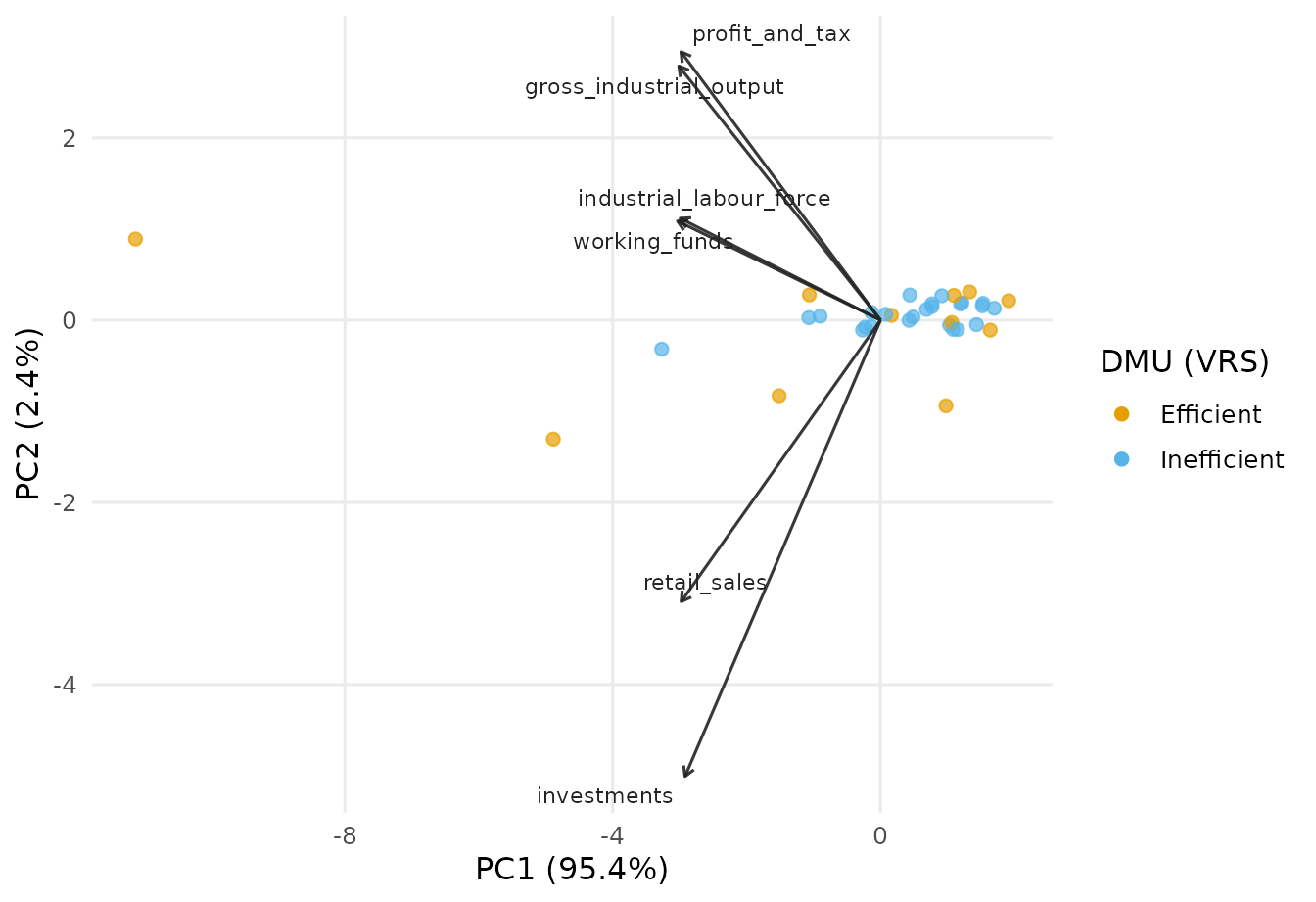
The vectors are the dataset’s inputs and outputs and they show the direction towards which the value of the corresponding input or output increases in the 2d space.
In contrast, we can use an MDS algorithm to reduce the dimensionality of the dataset and represent the DMUs visually in a 2d plot.
plot_io_mds(d)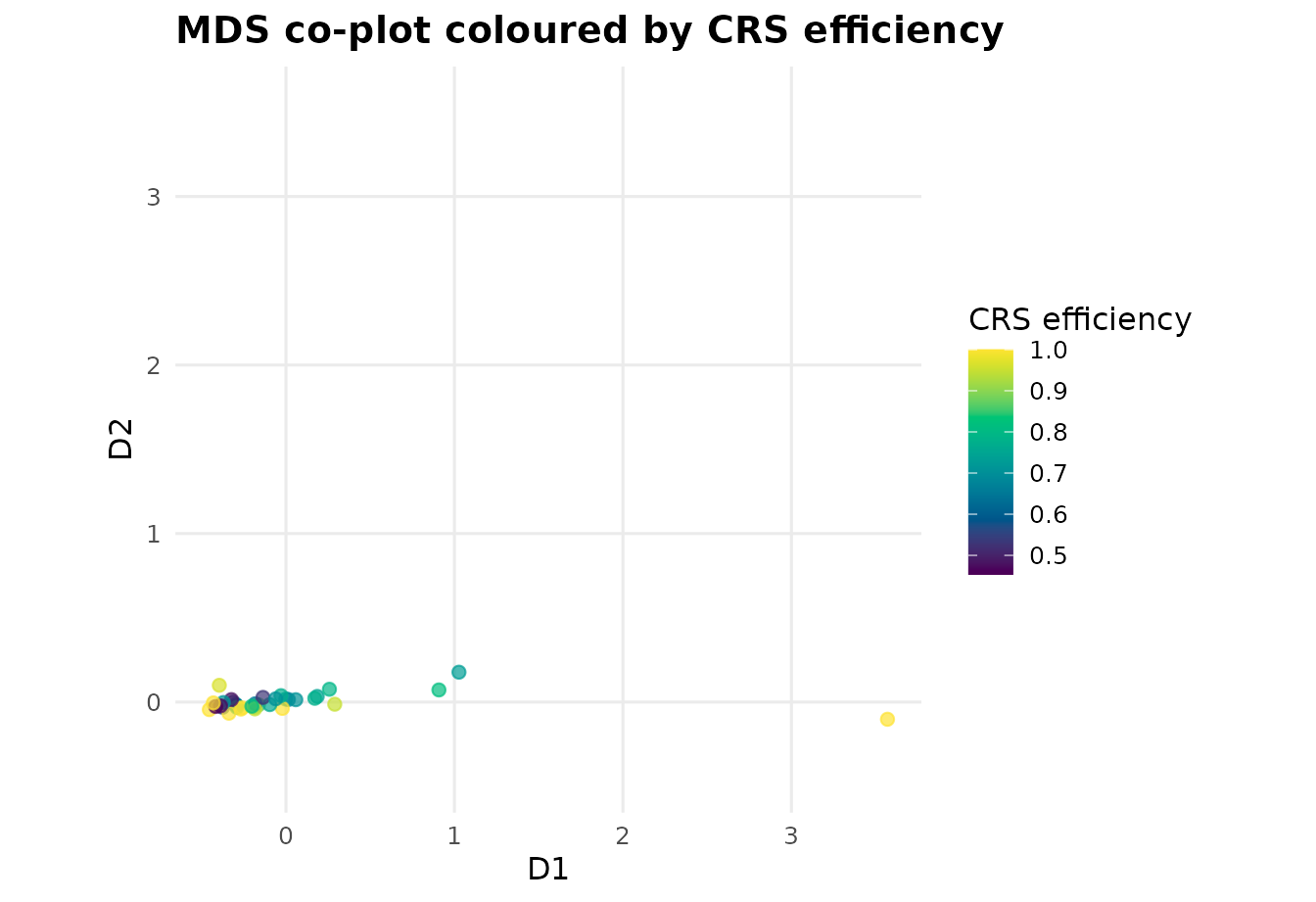
What to do with overcrowded plots? One solution offered by the
deaviz package is to make the plot interactive so one can
zoom into the plot and hover over the visual marks to get information
about them.
plot_io_mds(d, interactive = TRUE)Benchmarking networks
For inefficient DMUs, DEA identifies the efficient peers they are
benchmarked against. plot_io_lambda_network() draws those
peer relationships weighted by the envelopment
()
weights, laid out with Sammon mapping (Sammon, 1969) as in Porembski et
al. (2005); plot_io_peer_network() lays out who is a peer
to whom, therefore the edges are directed from the inefficient units to
their targets.
plot_io_lambda_network(d, rts = "vrs")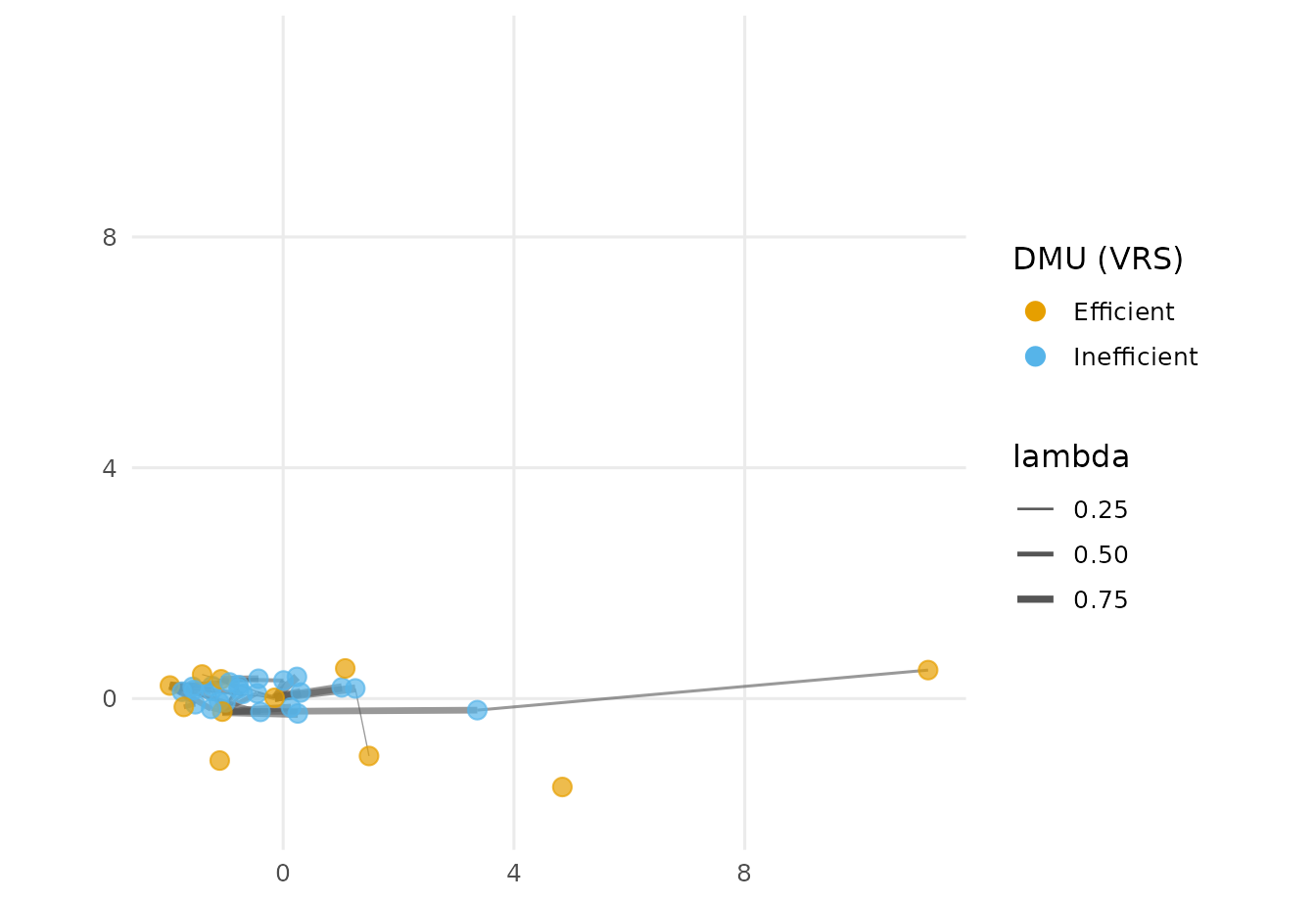
plot_io_peer_network(d, rts = "vrs")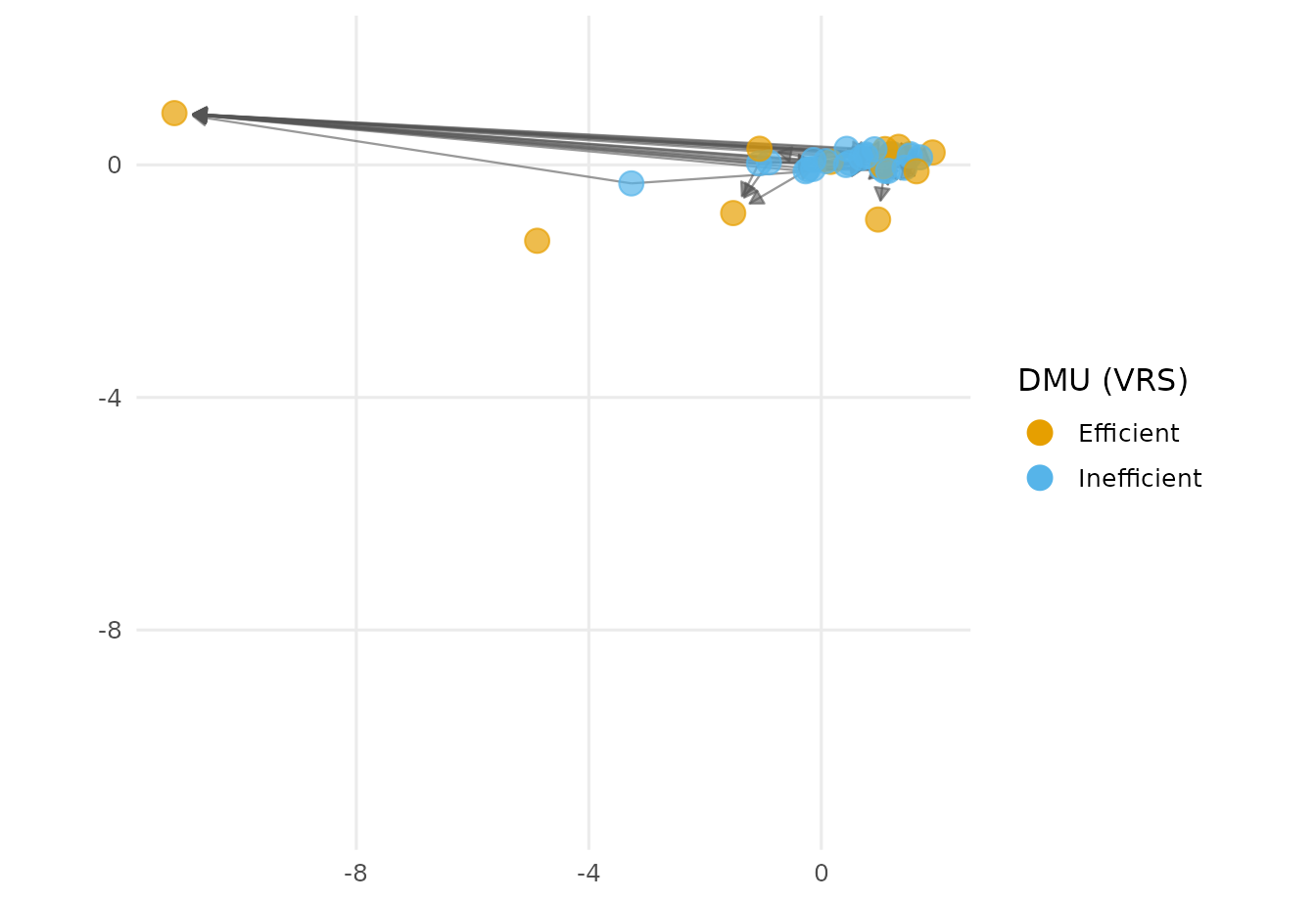
It is sometimes important in the networks to focus on and highlight a
specific DMU and deaviz package addresses that need via the
labels = argument:
plot_io_peer_network(d,layout = "fr",labels = "Xian", rts = "vrs")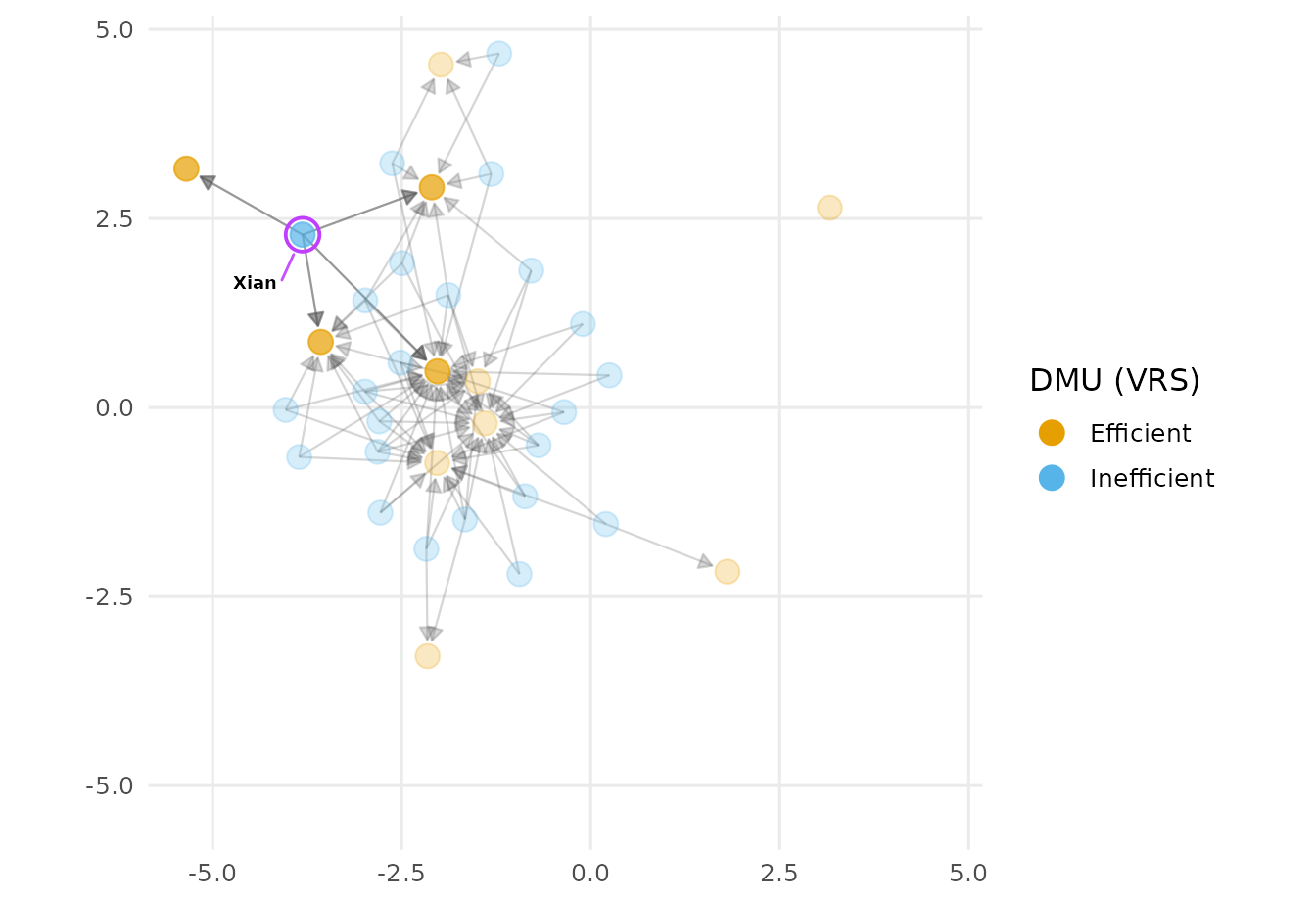
Pay attention that the default layout of the network is changed by
providing a pre-defined value to the layout = argument.
Cross-efficiency
Cross-efficiency scores every DMU using every other DMU’s optimal
weights (Doyle & Green, 1994).
compute_cross_efficiency() builds the matrix, which
plot_cem_heatmap() displays.
plot_cem_unfolding() unfolds the same matrix into a map of
who rates whom favourably (Ashkiani & Mar-Molinero, 2017), and
plot_cem_weights_heatmap() shows the underlying weight
profiles.
cem <- compute_cross_efficiency(d)

plot_cem_heatmap(cem, x_angle = 90)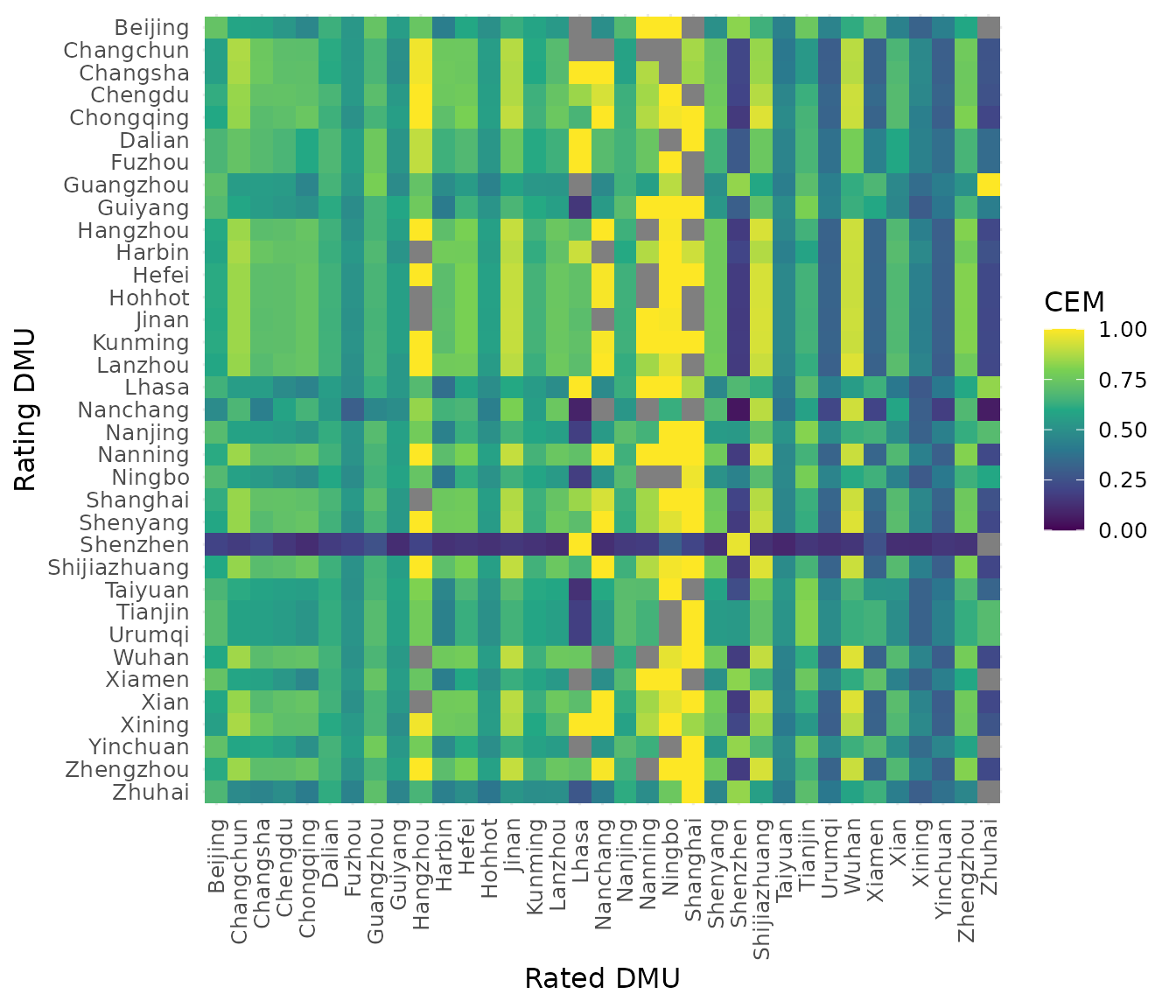
plot_cem_unfolding(cem)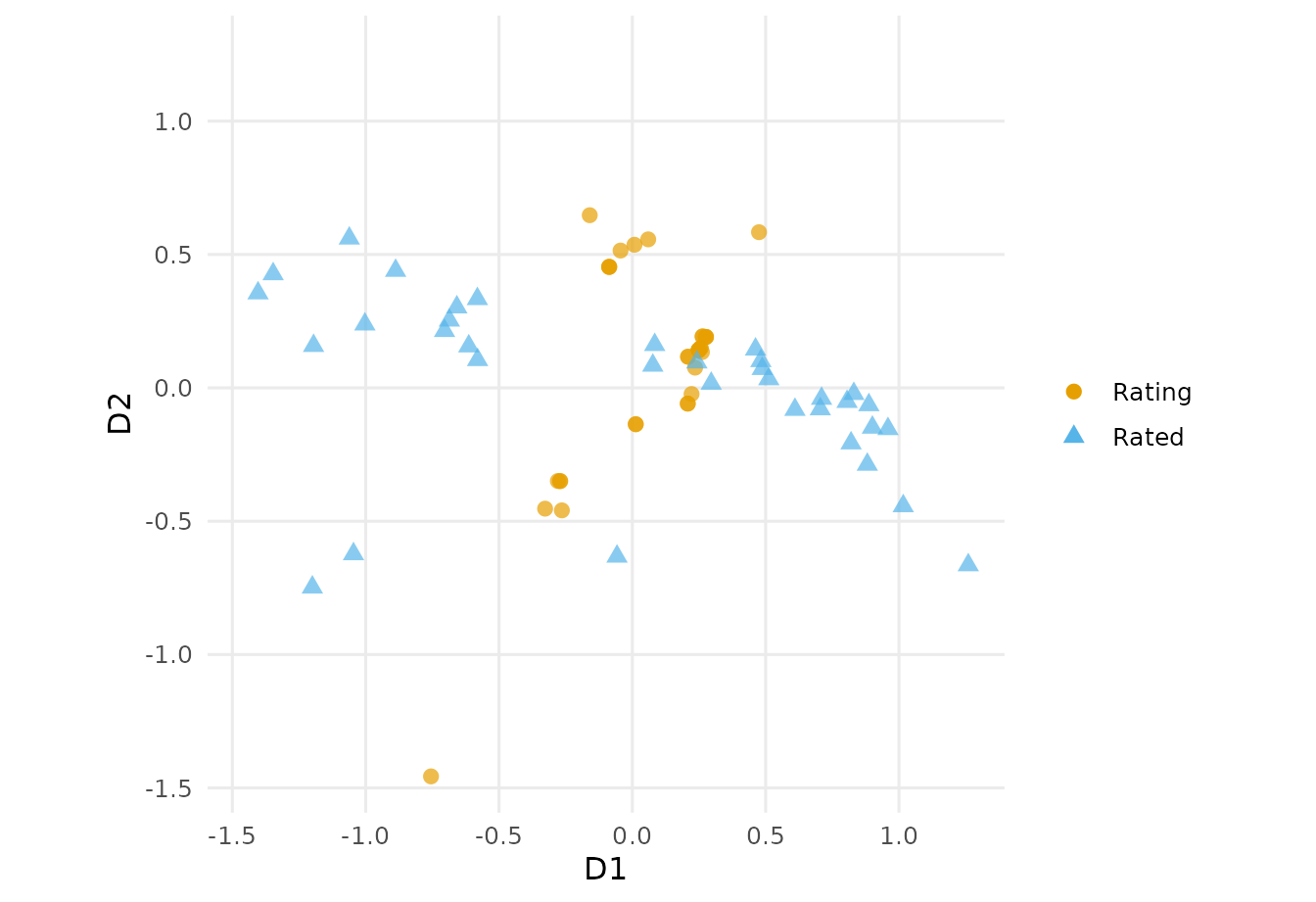
plot_cem_weights_heatmap(d, x_angle = 30)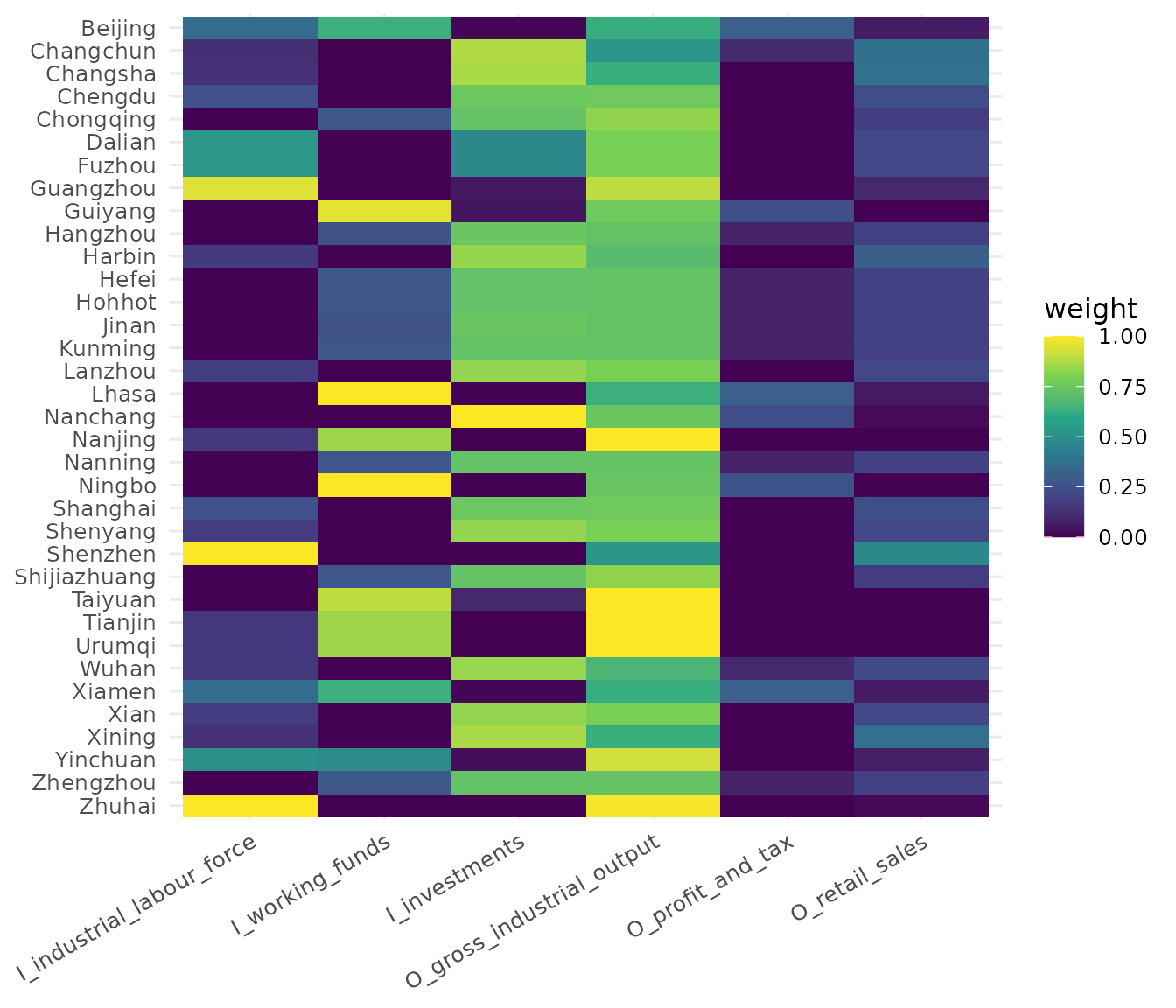
What if we want to highlight a specific DMU? Same as before, we can
use the labels= argument:
plot_cem_weights_heatmap(d, x_angle = 30, labels = "Xian")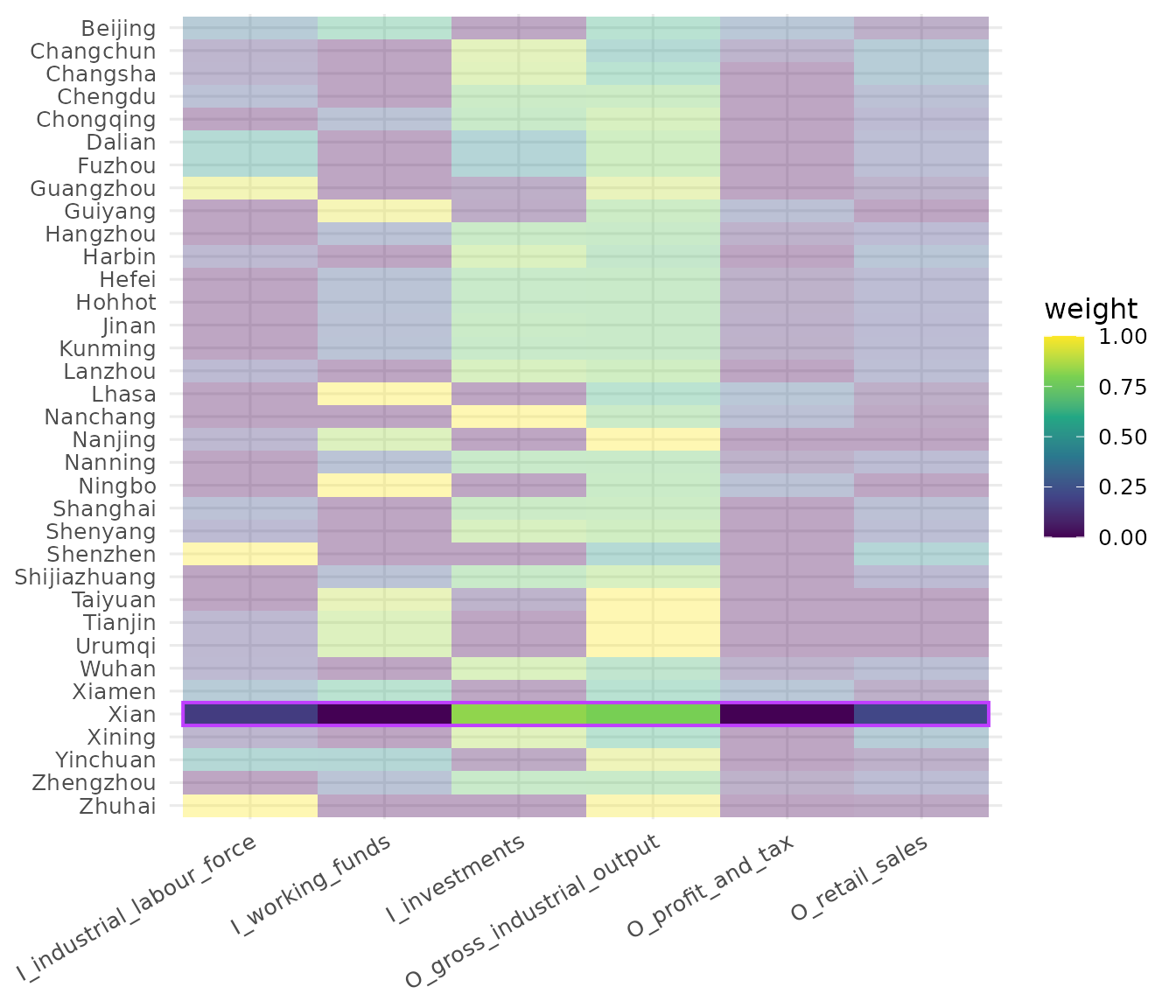
Profile plots
plot_io_radar() and plot_io_parcoo() show
each DMU’s full input/output profile, as a radar polygon or a
parallel-coordinates line.
plot_io_radar(d, efficiency = "vrs")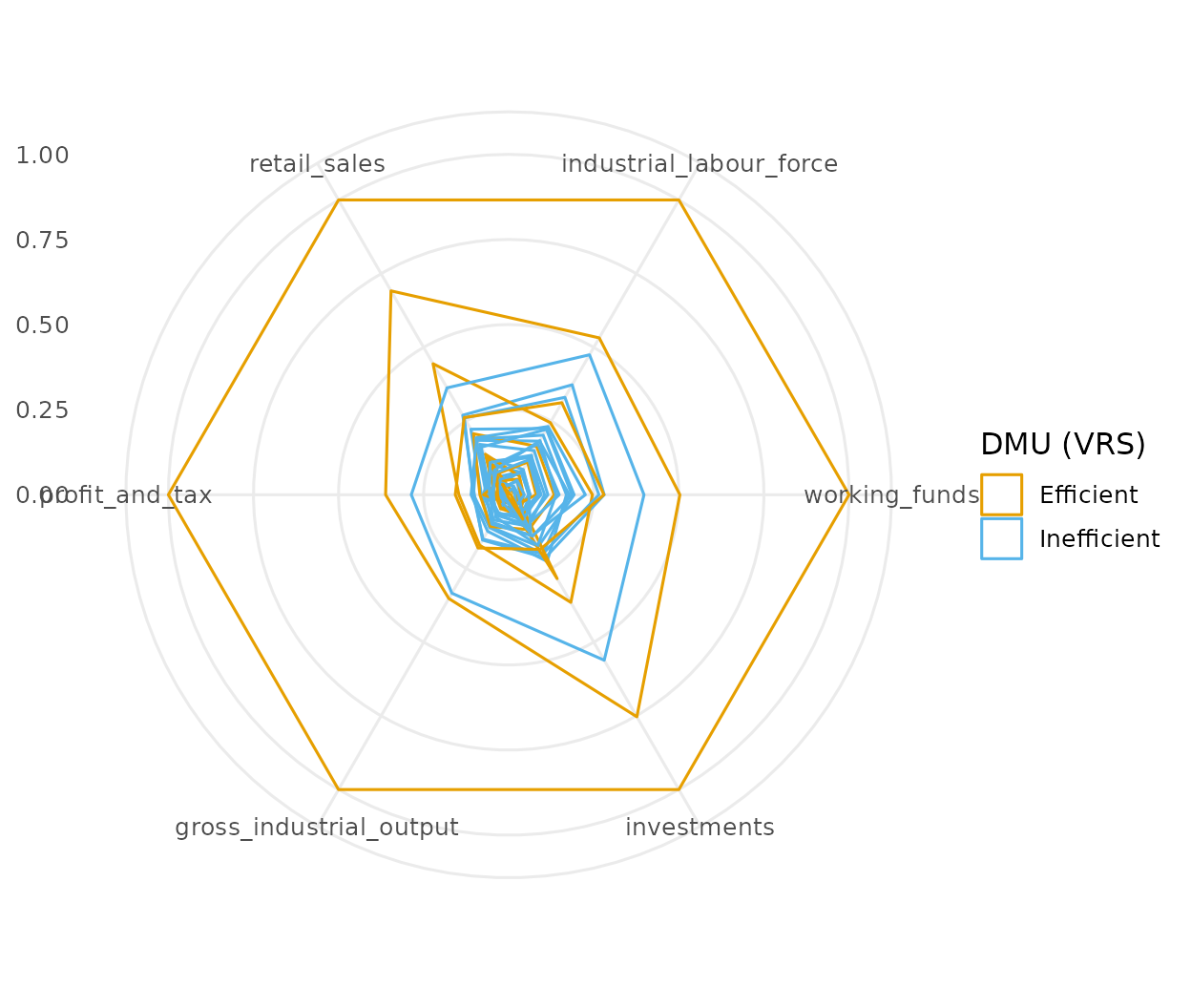
plot_io_parcoo(d, efficiency = "vrs", x_angle = 30)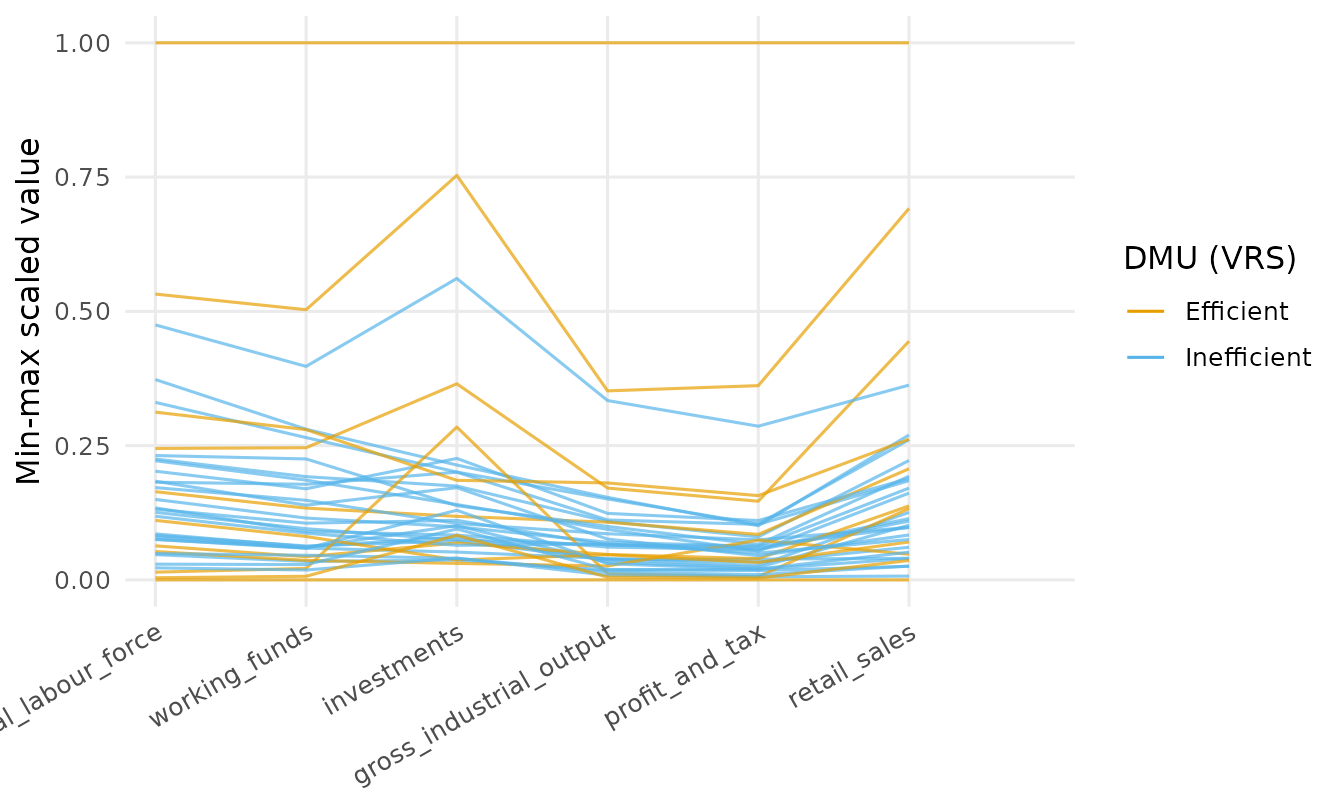
Both accept a variables argument to show a subset of the
profile: "all" (the default), "inputs",
"outputs", or a vector of variable names or positions.
plot_io_parcoo(d, variables = "inputs", efficiency = "vrs", x_angle = 30)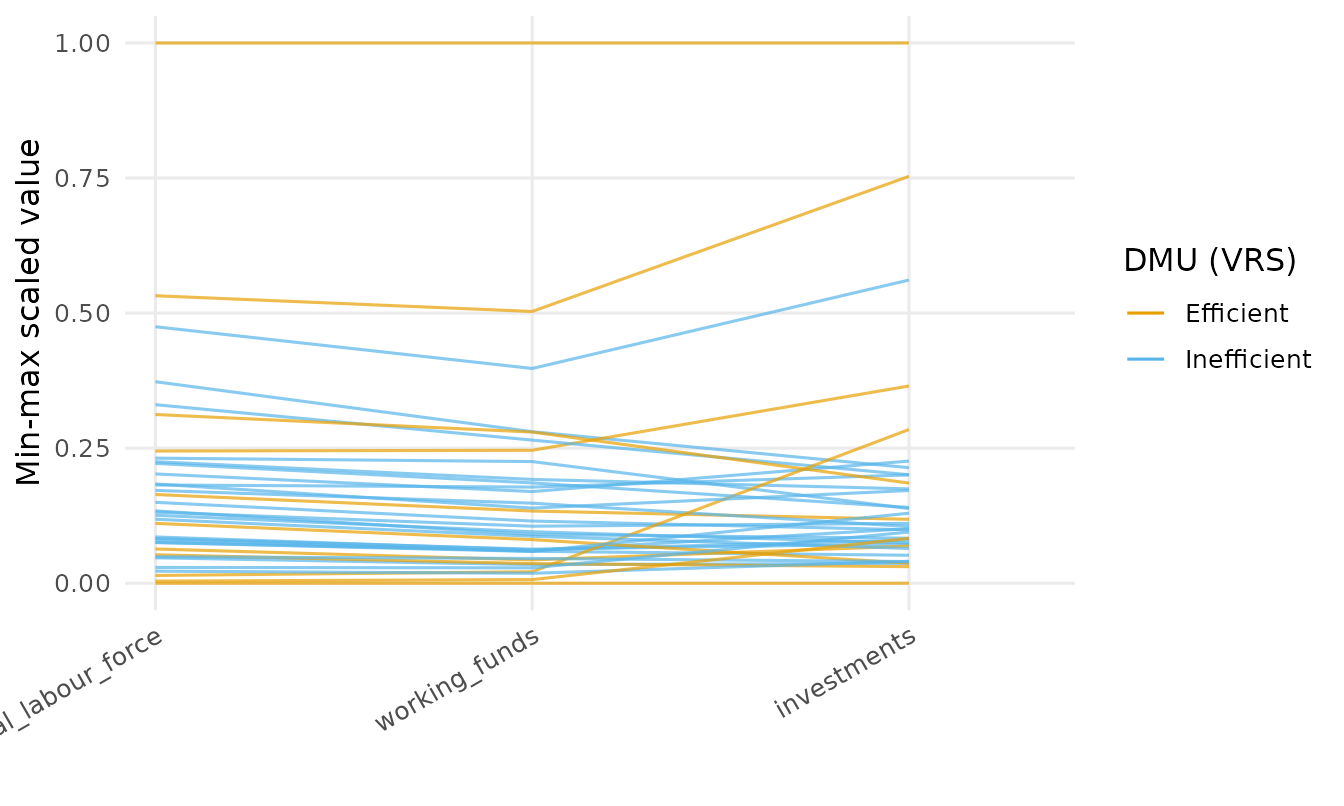
Highlighting a single DMU: the focus view
This feature is so useful that it demands a dedicated section to
explain it in further details. Pass one DMU name to labels
and deaviz puts it centre stage: it is ringed and labelled,
while everything else fades back. For the network plots the focus keeps
the chosen DMU’s sub-network; for the panel biplot it keeps that DMU’s
trajectory.
plot_io_pca_biplot(d, rts = "vrs", labels = "Beijing")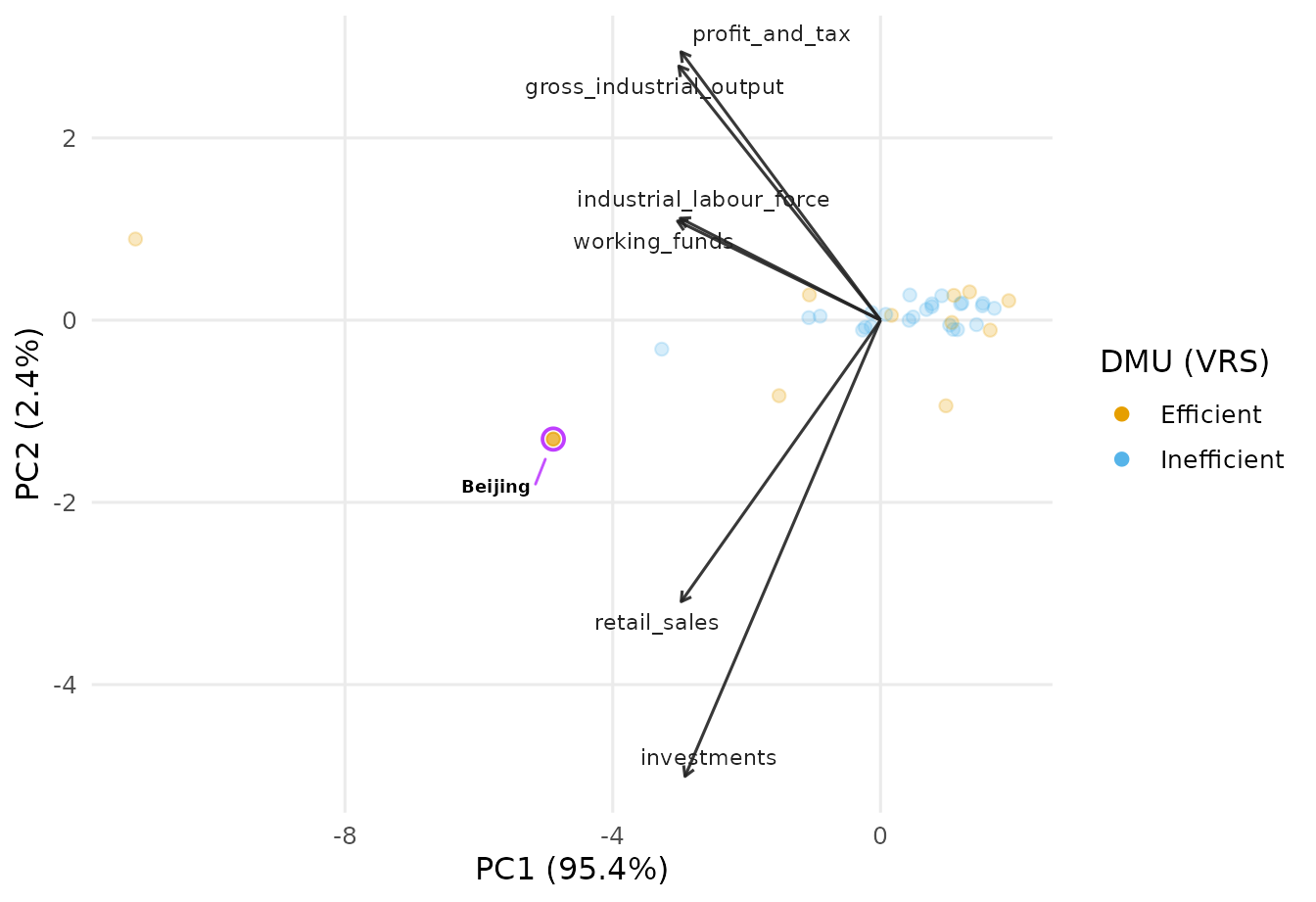
The amount of fade is tunable through the same fade
argument: TRUE (default) uses a sensible level,
FALSE turns it off, and a number sets the alpha of the
faded marks directly (larger keeps them more visible).
plot_io_parcoo(d, efficiency = "vrs", labels = "Beijing", fade = 0.4)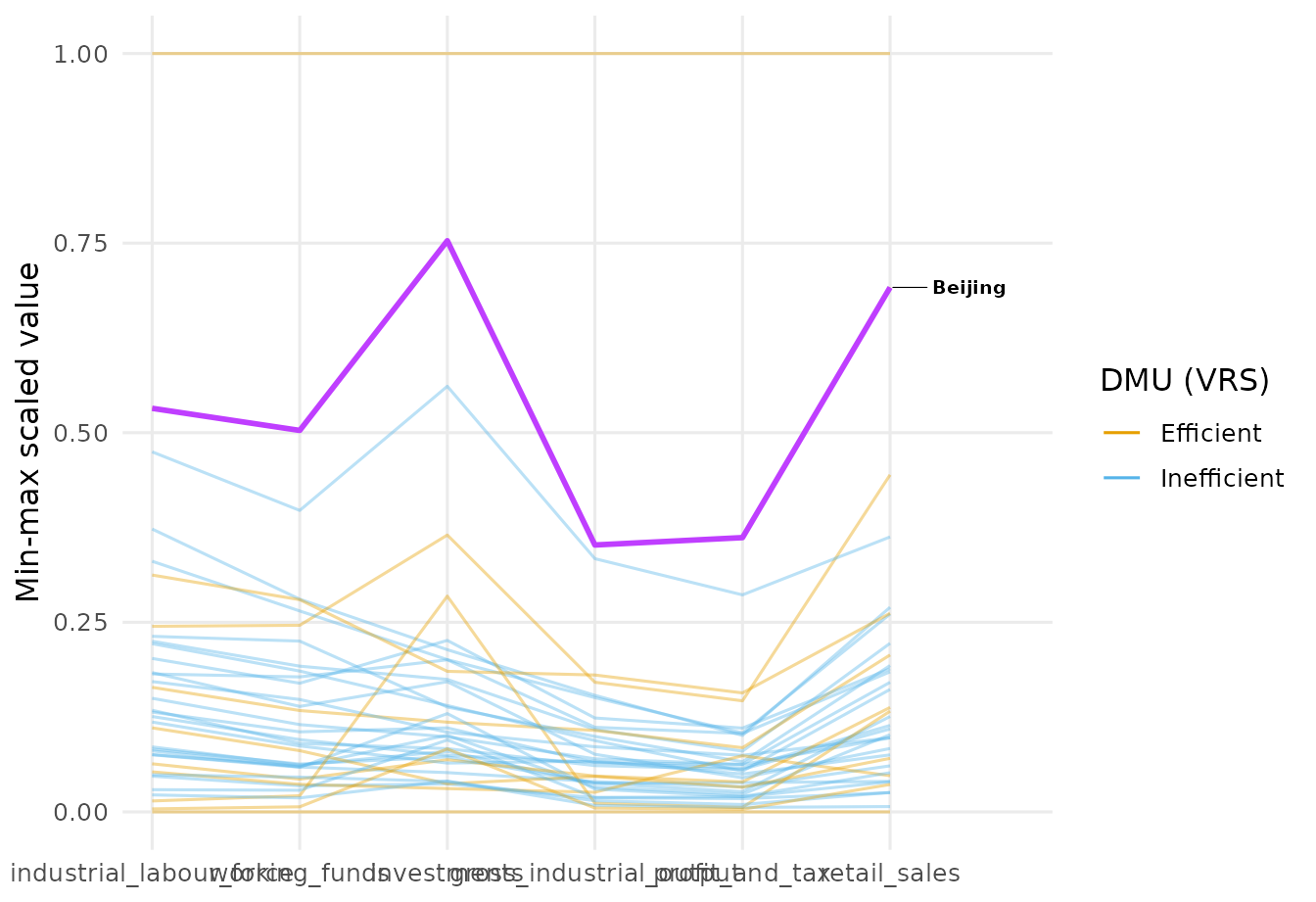
Other labels modes are "all" (label
everyone), "id" (number each marker), and
"max.overlaps" (label as many as fit without
collision).
plot_cem_unfolding(cem, labels = "id")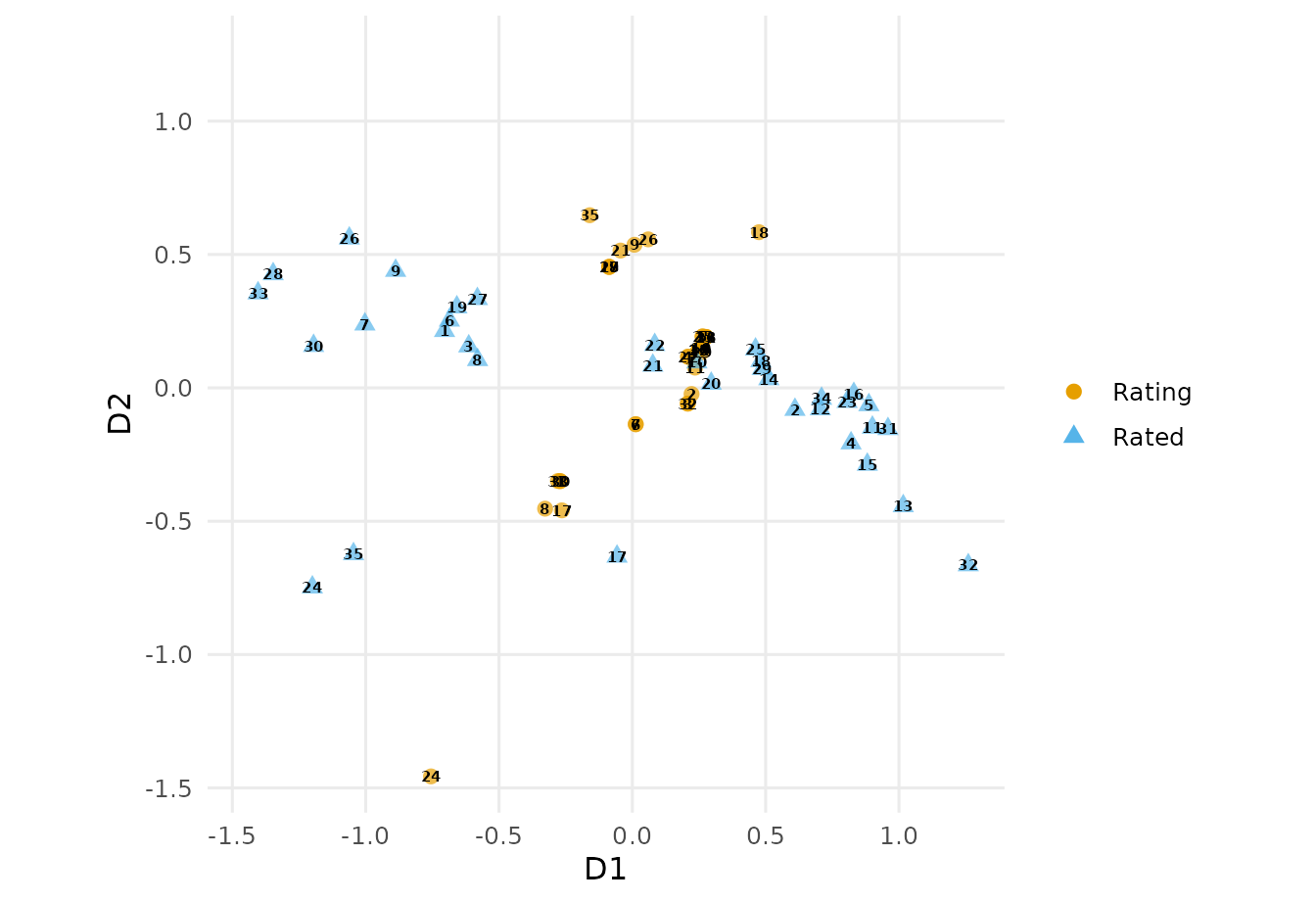
Self-organising maps
compute_som() trains a self-organising map (Kohonen,
2001) on the input/output profiles, via the kohonen
package (Wehrens & Kruisselbrink, 2018); plot_io_som()
colours the map by mean efficiency per node.
som <- compute_som(d)
plot_io_som(som)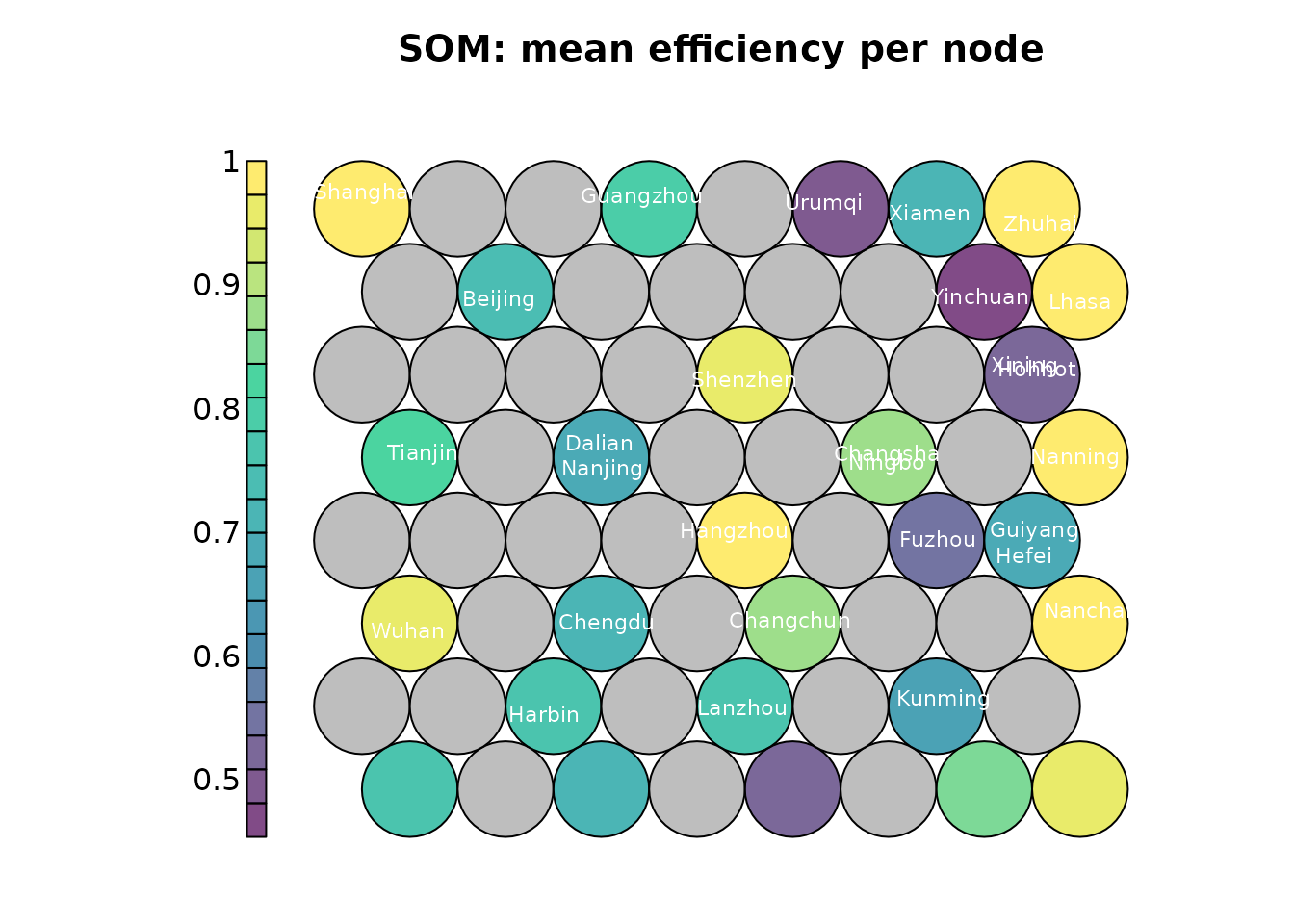
Multi-period data: trajectories
For panel data, plot_panel_io_biplot() places every
DMU-period on a shared PCA biplot and joins each DMU’s points into a
trajectory over time. The bundled taiwanese_banks dataset
is a balanced panel of 22 commercial banks over 2009-2011 (Kao &
Liu, 2014). Inputs and outputs can be given by position.
plot_panel_io_biplot(
  taiwanese_banks, id = "DMU", period = "Year",
  inputs = 3:5, outputs = 6:8, labels = "Cathay"
)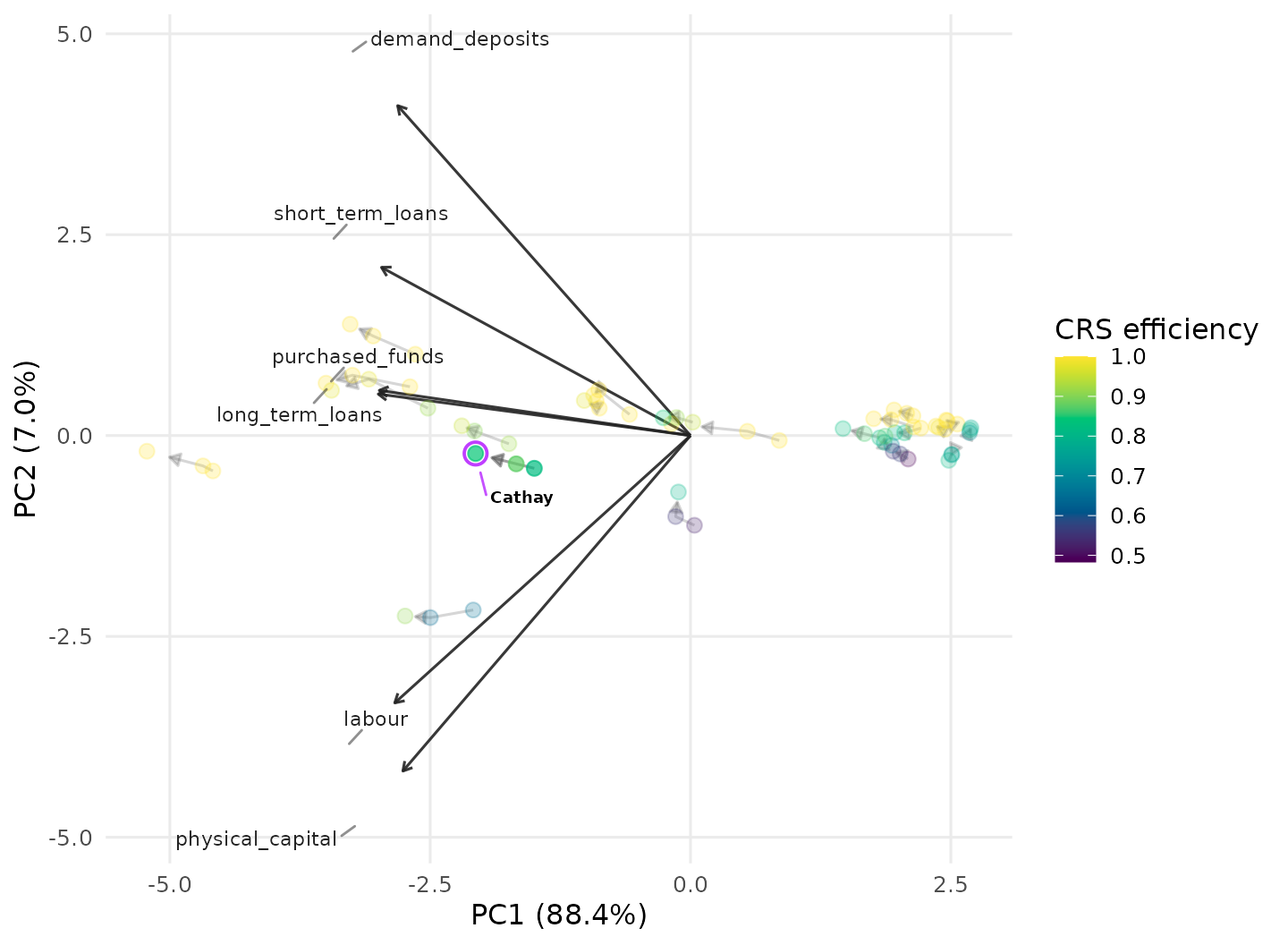
Here the focus view keeps only Cathay’s three-year path lit while the other banks recede, and the loading vectors are spread apart so their labels stay legible.
It is noteworthy that the PCA is computed over the pooled data.
For panel work it pays to build a dea_panel_data()
object once – it validates the panel (unique DMU-period rows,
balancedness) and remembers which columns are the id, the period, and
the inputs/outputs, so the plot_panel_* functions can be
called without repeating them:
pd <- dea_panel_data(taiwanese_banks, inputs = 3:5, outputs = 6:8,
                     id = "DMU", period = "Year")
pd
#> A DEA panel: 22 DMUs x 3 periods (balanced)
#>   periods: 2009, 2010, 2011
#>   inputs:  labour, physical_capital, purchased_funds
#>   outputs: demand_deposits, short_term_loans, long_term_loans
plot_panel_io_parcoo() offers a simpler view of the same
panel: the periods form the parallel axes and each DMU is one line,
tracing either a single input/output variable or the per-period
efficiency score (each period’s cross-section solved as its own DEA
problem).
plot_panel_io_parcoo(pd, y = "vrs", labels = "Cathay")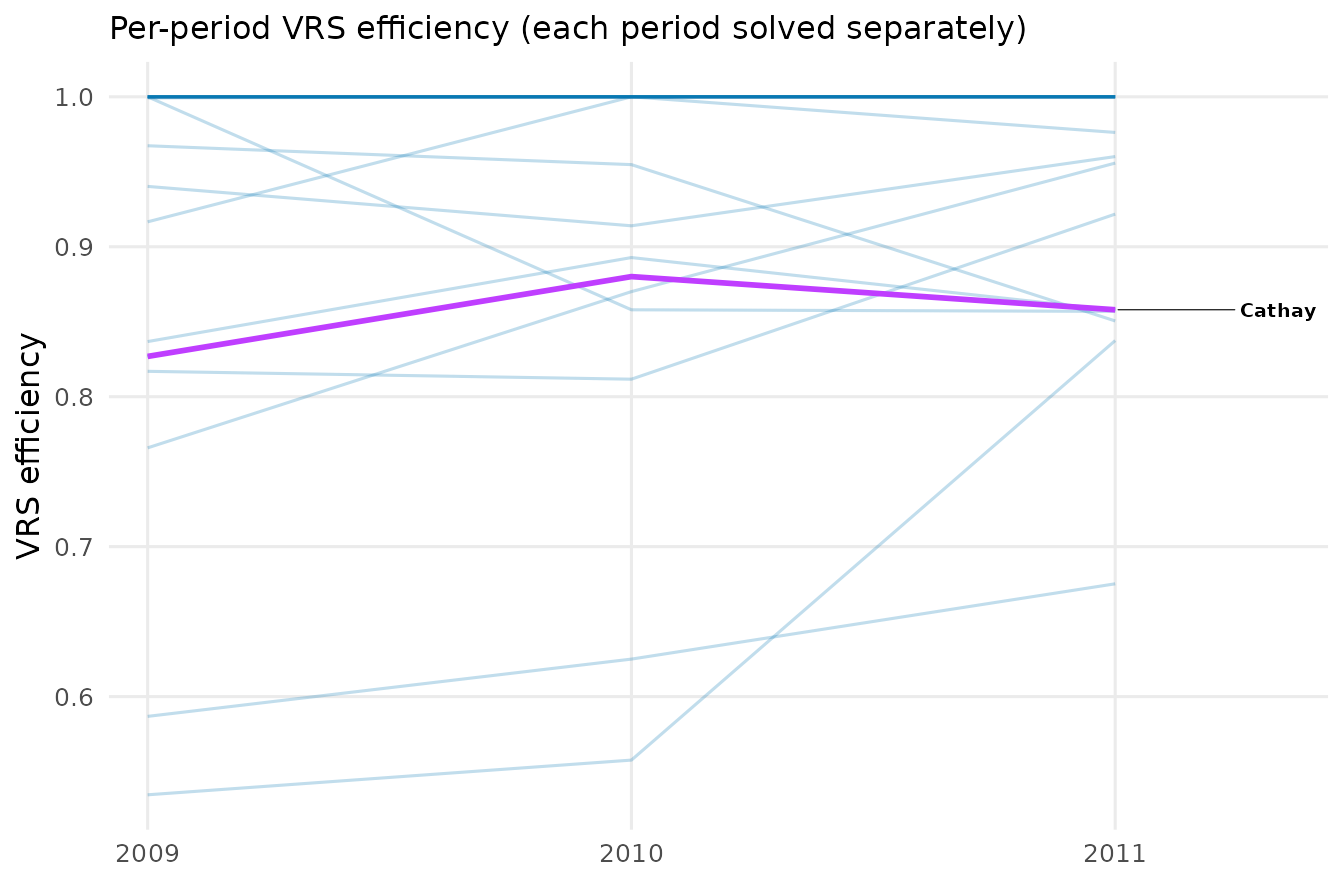
With color_by_trend = TRUE each line is coloured by the
DMU’s overall change (last period minus first), so the biggest risers
and fallers stand out.
plot_panel_io_parcoo(pd, y = "demand_deposits", color_by_trend = TRUE)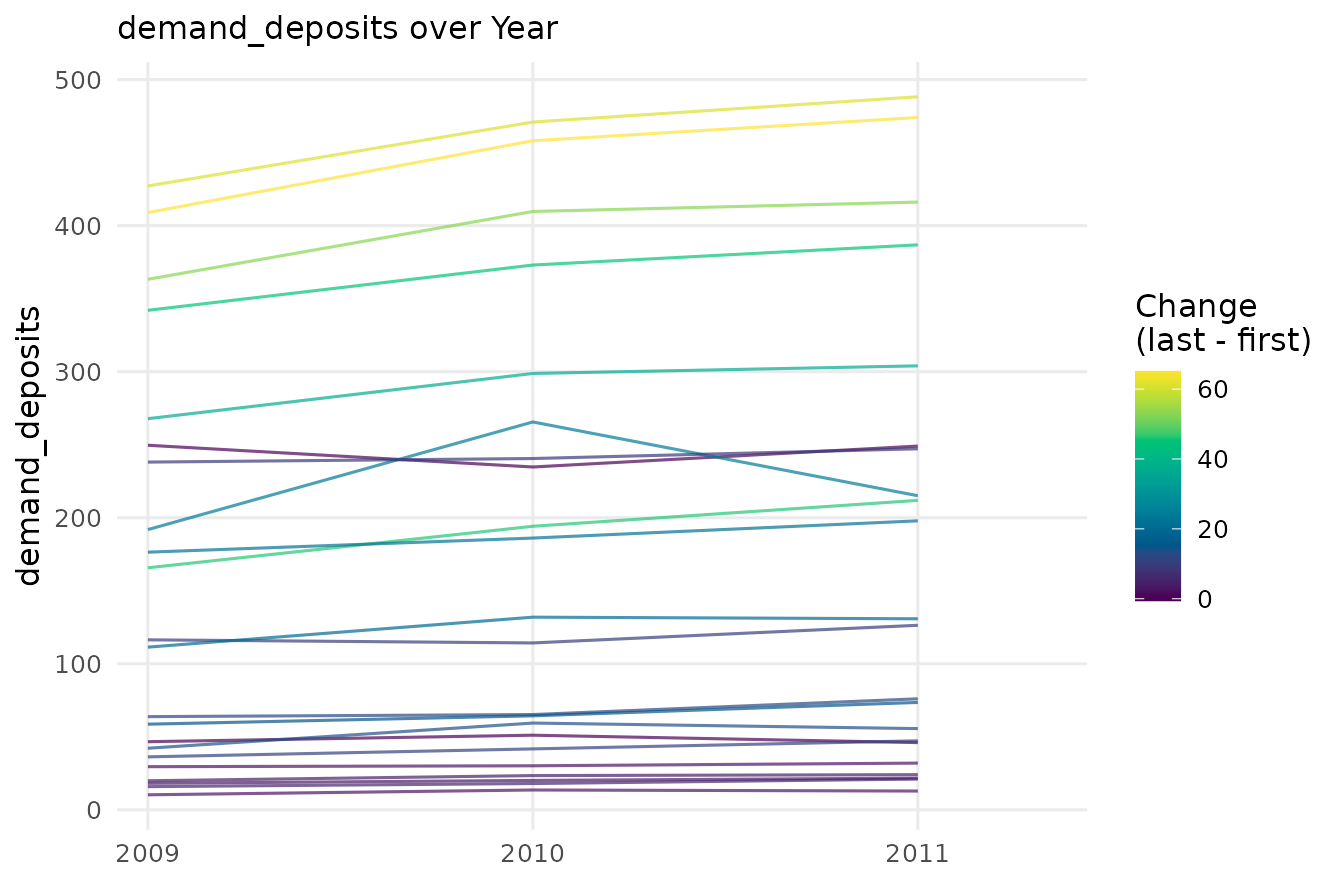
Interactive plots
Many plots accept interactive = TRUE, returning a
plotly widget with hover tooltips instead of a static
ggplot. This needs the plotly package and is
best viewed in an HTML context:
plot_io_pca_biplot(d, rts = "vrs", labels = "Beijing", interactive = TRUE)References
Adler, N., & Raveh, A. (2008). Presenting DEA graphically. Omega, 36(5), 715–729.
Ashkiani, S. (2019). Four Essays on Data Visualization and Anomaly Detection of Data Envelopment Analysis Problems (PhD thesis). Universitat Autonoma de Barcelona. https://ddd.uab.cat/record/240333
Ashkiani, S., & Mar-Molinero, C. (2017). Visualization of cross-efficiency matrices using multidimensional unfolding. In Recent Applications of Data Envelopment Analysis.
Bana e Costa, C. A., Soares de Mello, J. C. C. B., & Angulo Meza, L. (2016). A new approach to the bi-dimensional representation of the DEA efficient frontier with multiple inputs and outputs. European Journal of Operational Research, 255(1), 175–186. https://doi.org/10.1016/j.ejor.2016.05.012
Charnes, A., Cooper, W. W., & Rhodes, E. (1978). Measuring the efficiency of decision making units. European Journal of Operational Research, 2(6), 429–444. https://doi.org/10.1016/0377-2217(78)90138-8
de Leeuw, J., & Mair, P. (2009). Multidimensional scaling using majorization: SMACOF in R. Journal of Statistical Software, 31(3), 1–30. https://doi.org/10.18637/jss.v031.i03
Doyle, J., & Green, R. (1994). Efficiency and cross-efficiency in DEA: Derivations, meanings and uses. Journal of the Operational Research Society, 45(5), 567–578. https://doi.org/10.1057/jors.1994.84
Kao, C., & Liu, S.-T. (2014). Multi-period efficiency measurement in data envelopment analysis: The case of Taiwanese commercial banks. Omega, 47, 90–98. https://doi.org/10.1016/j.omega.2013.09.001
Kohonen, T. (2001). Self-Organizing Maps (3rd ed.). Springer.
Porembski, M., Breitenstein, K., & Alpar, P. (2005). Visualizing efficiency and reference relations in data envelopment analysis with an application to the branches of a German bank. Journal of Productivity Analysis, 23(2), 203–221. https://doi.org/10.1007/s11123-005-1328-5
Sammon, J. W. (1969). A nonlinear mapping for data structure analysis. IEEE Transactions on Computers, C-18(5), 401–409. https://doi.org/10.1109/T-C.1969.222678
Sueyoshi, T. (1992). Measuring the industrial performance of Chinese cities by data envelopment analysis. Socio-Economic Planning Sciences, 26(2), 75–88. https://doi.org/10.1016/0038-0121(92)90015-W
Wehrens, R., & Kruisselbrink, J. (2018). Flexible self-organizing maps in kohonen 3.0. Journal of Statistical Software, 87(7), 1–18. https://doi.org/10.18637/jss.v087.i07
Where to next
Every function has its own help page with a full argument list and
examples (e.g. ?plot_panel_io_biplot). To cite the package,
see citation("deaviz").